# Introduction
Source: https://docs.cnap.tech/apis/introduction
Welcome to the API documentation for CNAP.
## Welcome
This is the place for developers to learn how to build on top of CNAP's strong foundation to
create new experiences for users, developers, and providers.
We are currently working on this documentation and will update it soon.
It will support the OpenAPI RESTful API, gRPC, gRPC-Web, and ConnectRPC protocols
with generated client libraries in multiple languages. There will also be a playground
studio for testing and exploring the API.
# Create a Cluster
Source: https://docs.cnap.tech/clusters/create
Set up managed infrastructure in minutes
Setting up infrastructure to run your products is the foundation of your CNAP experience. Our managed clusters handle all the complex Kubernetes operations so you can focus on building and selling your software.
## Why Choose Managed Clusters?
CNAP's **Kubernetes as a Service (KaaS)** provides fully managed infrastructure where we handle the control plane and all worker operations while you maintain control over your infrastructure choices and billing.
**Perfect for most users** - CNAP handles all the complex operations:
* **Zero operational overhead** - We manage the control plane
* **24/7 monitoring** - Proactive issue detection and resolution
* **Security updates** - Automatic patches and Kubernetes upgrades
* **Multi-cloud support** - Use any provider or mix providers
## How to Create Your Cluster
Navigate to the [clusters section](https://dash.cnap.tech/clusters) in your CNAP dashboard and click **"Create Cluster"**.
Create or select a region name for organizing your clusters. Regions are custom labels you define to help organize your infrastructure and will be shown to customers when they purchase your products.
Region names are flexible and can be changed anytime. Use descriptive names that make sense for your business, such as "Production", "US-East", "Europe", or "Development".
**Examples:**
* **Production** - Your main customer-facing infrastructure
* **Staging** - Testing and development environment
* **US-East** - Geographic indicator for customer selection
* **Europe** - Regional deployment for EU customers
Choose your cluster configuration:
* **Cluster name** - A descriptive name for your infrastructure
* **Kubernetes version** - Latest stable version (recommended)
* **High availability** - Multi-zone control plane for production workloads
Click **"Create"** to provision your cluster. The control plane will be ready in 2-3 minutes.
You'll see the status change to "Active" when your cluster is ready for worker nodes.
## Adding Worker Capacity
Once your cluster is created, you need to add compute capacity where your products will run. You have two options:
**Testing locally?** Use [Multipass](/clusters/multipass) for free local testing of worker configurations before buying production servers. Multipass is built specifically for testing scenarios and works perfectly with CNAP's architecture.
### Option 1: Self-Onboarded Workers
**Bring your own machines** - Maximum flexibility
* Use any cloud provider or bare metal
* Connect via SSH - we handle the Kubernetes setup
* Mix different providers as needed
* Full control over your infrastructure choices
### Option 2: Cloud API Integration (Coming Soon)
**Planned automated provisioning** - Industry-leading cloud providers
* We'll create and manage machines automatically
* You'll pay providers directly (no markup)
* Easy scaling and management
* Perfect for getting started quickly
## Getting the Worker Setup Command
After your cluster is active:
1. **Click on your cluster** in the dashboard
2. **Find the "Quick Actions" section**
3. **Copy the worker setup command**
The command looks like:
```bash theme={null}
curl -sSL https://workers.cnap.tech/join | sudo bash -s -- --token=your-cluster-token
```
**Join Token Details:**
* **Expiration**: 30 minutes from generation
* **Usage**: Can be used multiple times to join multiple machines
Keep this command secure - it provides access to join your cluster. Regenerate
the token if it's ever compromised.
## Connecting Your First Worker
Create or access an Ubuntu/Debian server:
* **Minimum specs**: 2 CPU, 4GB RAM
* **Recommended**: 4 CPU, 8GB RAM for production
* **Operating system**: Ubuntu 22.04 LTS (recommended)
```bash theme={null}
ssh root@your-server-ip
```
Execute the command you copied from the dashboard:
```bash theme={null}
curl -sSL https://workers.cnap.tech/join | sudo bash -s -- --token=your-cluster-token
```
The script will automatically:
* Install Kubernetes components
* Join the worker to your cluster
Your worker will appear in the dashboard within 1-2 minutes as "Active". You can now start deploying products!
## What's Next?
With your cluster ready and workers connected, you can:
Turn your applications into sellable products
Create a storefront where customers can buy your products
Scale your infrastructure as demand grows
Discover how to build profitable cloud products
## Troubleshooting
* Verify the server has internet connectivity - Check that the setup command
was copied correctly - Ensure you're running as root (with `sudo`) - Wait
2-3 minutes for the registration process
{' '}
* Check server meets minimum requirements (2 CPU, 4GB RAM) - Ensure
Ubuntu/Debian operating system - Verify no conflicting Docker/Kubernetes
installations - Check firewall allows outbound HTTPS connections
Cloud API integration for automatic worker provisioning is coming soon.
See our [roadmap →](/roadmap) for timeline and [KaaS docs →](/platform/kaas) for details.
**No problem!** CNAP's managed KaaS architecture is designed so workers don't need public IP addresses. Workers automatically create outbound connectivity tunnels to the control plane, allowing the control plane to reach the kubelet securely. This works behind firewalls, NAT, and restrictive networks.
**Pro tip**: Start with one worker and add more as your customer base grows.
CNAP makes it easy to scale your infrastructure without any downtime.
{' '}
# Import a Cluster
Source: https://docs.cnap.tech/clusters/import
Connect your existing Kubernetes infrastructure
If you already have a Kubernetes cluster from any source, you can import it into CNAP. This works with any existing cluster - whether it's self-managed, from cloud providers (EKS, GKE, AKS), or other managed Kubernetes services. This allows you to leverage your existing investment while gaining access to CNAP's product deployment and marketplace features.
## When to Import vs. Create
### Import Your Cluster If You:
* **Have existing Kubernetes clusters** - From EKS, GKE, AKS, or any other provider
* **Already invested in cluster setup** - Self-managed or managed Kubernetes infrastructure
* **Need specific configurations** - Custom networking, security policies, or compliance requirements
* **Want to keep existing cluster management** - Maintain your current operational setup
### Consider Creating a New Cluster If You:
* **Want CNAP-managed control plane** - Zero operational overhead for Kubernetes management
* **Are new to Kubernetes** - Avoid the complexity of cluster operations
* **Prefer simplicity** - Focus on products, not infrastructure management
* **Need quick setup** - Get running in minutes with minimal configuration
**New to Kubernetes?** Consider using [CNAP's managed
clusters](/clusters/create) instead. We handle all the complex control plane
management, so you can focus on your product rather than infrastructure
operations.
## Prerequisites
Before importing your cluster, ensure it meets these requirements:
* **Kubernetes Version**: 1.33+ (check with
`kubectl version`)
* **Cluster Access**: Admin permissions, network connectivity,
valid kubeconfig
* **Required Permissions**: Namespace management,
workload deployment, RBAC operations
If you're not using admin kubeconfig, create a service account with these permissions and bind it to a ClusterRole:
```yaml theme={null}
apiVersion: v1
kind: ServiceAccount
metadata:
name: cnap-sa
---
apiVersion: rbac.authorization.k8s.io/v1
kind: ClusterRole
metadata:
name: cnap-role
rules:
- apiGroups: ['']
resources: ['pods', 'pods/log', 'pods/exec', 'secrets']
verbs: ['get', 'list', 'watch', 'create', 'update', 'delete']
- apiGroups: ['apps']
resources: ['statefulsets', 'statefulsets/status']
verbs: ['get', 'list', 'watch', 'create', 'update', 'delete']
- apiGroups: ['']
resources: ['namespaces', 'namespaces/finalize']
verbs: ['get', 'list', 'watch', 'create', 'update', 'delete']
---
apiVersion: rbac.authorization.k8s.io/v1
kind: ClusterRoleBinding
metadata:
name: cnap-role-binding
subjects:
- kind: ServiceAccount
name: cnap-sa
roleRef:
kind: ClusterRole
name: cnap-role
apiGroup: rbac.authorization.k8s.io
```
## How to Import Your Cluster
Ensure you have a valid kubeconfig file with admin access to your cluster.
**Test your connection:**
```bash theme={null}
kubectl cluster-info
kubectl get nodes
```
**Export your kubeconfig:**
```bash theme={null}
# If using default location
cat ~/.kube/config
# Or specify custom path
cat /path/to/your/kubeconfig
```
1. Navigate to the [clusters section](https://dash.cnap.tech/clusters) in your CNAP dashboard
2. Click **"Import Cluster"**
3. Choose **"Import Existing Cluster"**
**Option A: File Upload**
* Click "Upload kubeconfig file"
* Select your kubeconfig file
* CNAP will validate the configuration
**Option B: Paste Content**
* Copy your kubeconfig content
* Paste into the text area
* Click "Validate Configuration"
CNAP will test the connection and verify:
* Cluster accessibility
* Required permissions
* Kubernetes version compatibility
* Network connectivity
If validation fails, check your kubeconfig and cluster permissions before retrying.
Set up how CNAP will interact with your cluster:
* **Cluster name** - Descriptive name for your cluster
* **Default namespace** - Where new products will deploy
* **Resource limits** - Optional CPU/memory constraints
* **Monitoring** - Enable CNAP observability (recommended)
Click **"Import Cluster"** to finalize the process.
Your cluster will appear in the dashboard as "Active" and ready for product deployments.
## Best Practices for Imported Clusters
### Security Considerations
* **Use dedicated service accounts** - Don't use your personal admin credentials
* **Limit CNAP permissions** - Create role-based access for CNAP operations
* **Network policies** - Configure appropriate network segmentation
* **Regular updates** - Keep your cluster and nodes updated
### Resource Management
* **Reserve capacity** - Ensure adequate resources for CNAP deployments
* **Monitor usage** - Track resource consumption and scaling needs
* **Backup strategy** - Maintain regular cluster and data backups
* **Disaster recovery** - Have a plan for cluster failures
### Maintenance and Updates
* **Coordinate updates** - Plan Kubernetes version upgrades carefully
* **Test deployments** - Validate CNAP functionality after changes
* **Monitor logs** - Watch for issues with imported cluster operations
* **Communication** - Notify CNAP support of major infrastructure changes
## What Happens After Import?
Once your cluster is imported, you can:
Turn your applications into sellable products
Track resource usage and performance
Create a storefront for your products
Discover how to build profitable cloud products
## Limitations of Imported Clusters
Be aware of these limitations compared to managed clusters:
| Feature | Managed Clusters | Imported Clusters |
| ---------------------------- | ------------------------- | ----------------------------- |
| **Control plane management** | **✓** Fully managed | **✗** Your responsibility |
| **Worker node provisioning** | **✓** Automated options | **✗** Manual management |
| **Automatic updates** | **✓** Handled by CNAP | **✗** You must update |
| **24/7 monitoring** | **✓** Included | **\~** Limited |
| **Auto-scaling** | **✓** Available | **✗** Not supported |
| **Support level** | **✓** Full infrastructure | **\~** Application layer only |
## Troubleshooting
* Verify cluster is accessible from the internet - Check that kubeconfig has
admin permissions - Ensure Kubernetes version is 1.25 or newer - Test
connection locally: `kubectl cluster-info`
{' '}
* Verify cluster API server is publicly accessible - Check firewall rules
allow CNAP IP ranges - Ensure DNS resolution works for your cluster - Test
from external network: `curl -k https://your-cluster-api:6443`
{' '}
* Confirm kubeconfig has cluster-admin role - Check RBAC is properly
configured - Verify service account has necessary permissions - Test with:
`kubectl auth can-i "*" "*" --all-namespaces`
* Check cluster has adequate resources - Verify default namespace exists and
is accessible - Review cluster events: `kubectl get events --sort-by=.metadata.creationTimestamp` - Contact support with deployment
logs
**Considering a switch?** If managing your own cluster becomes complex, you
can always [create a managed cluster](/clusters/create) and migrate your
workloads. CNAP makes it easy to switch between infrastructure models.
{' '}
# Test with Multipass
Source: https://docs.cnap.tech/clusters/multipass
Use Multipass for free local testing of worker nodes
**Multipass** is the perfect tool for testing CNAP worker configurations locally without any cloud costs. Built by Canonical specifically for testing scenarios, Multipass lets you quickly spin up Ubuntu VMs on your local machine to test worker setups before buying production machines.
## Why Multipass for CNAP Testing?
Multipass is purpose-built for development and testing scenarios, making it ideal for:
* **Free local testing** - No cloud costs while developing and testing products
* **Rapid iteration** - Quickly create, destroy, and recreate test workers
* **Production simulation** - Test exact worker setup procedures in a local environment
**Performance considerations**: Local testing with Multipass will be slower than production servers due to your home internet connection (typically much slower than datacenter 1-10+ Gbps links) and limited local resources. Ensure your VM has at least 1 CPU and 3GB RAM for reliable testing.
CNAP's managed KaaS architecture is designed so your workers don't need a public IP address. When a worker starts, it automatically creates an outbound konnectivity tunnel to the control plane, allowing the control plane to reach the kubelet securely.
## Prerequisites
Install Multipass on your development machine:
**Using Homebrew (Recommended)**
```bash theme={null}
brew install multipass
```
**Manual Download**
Download from [https://multipass.run](https://multipass.run)
Install the .pkg file
**Verify installation**
```bash theme={null}
multipass version
```
**Using Snap (Recommended)**
```bash theme={null}
# Ubuntu/Debian and most Linux distributions
sudo snap install multipass
```
**Manual Download**
Download from [https://multipass.run](https://multipass.run)
Follow distribution-specific installation instructions
**Verify installation**
```bash theme={null}
multipass version
```
**Using Chocolatey (Recommended)**
```powershell theme={null}
choco install multipass
```
**Manual Download**
Download installer from [https://multipass.run](https://multipass.run)
Run the .exe installer
**Verify installation**
```powershell theme={null}
multipass version
```
## Setting Up a Test Worker
First, ensure you have an active cluster in your [CNAP dashboard](https://dash.cnap.tech/clusters). You'll need the worker setup command from this cluster.
Create a new Ubuntu VM with adequate resources for testing:
```bash theme={null}
# Create VM with recommended specs for testing
multipass launch --name cnap-worker --cpus 2 --memory 4G --disk 20G
# Verify VM is running
multipass list
```
Use `--cpus 4 --memory 8G` for more realistic production testing scenarios.
```bash theme={null}
# SSH into the Multipass VM
multipass shell cnap-worker
```
You're now inside the Ubuntu VM, ready to test the worker setup.
In your CNAP dashboard:
1. Navigate to your [active cluster](https://dash.cnap.tech/clusters)
2. Click the **"Quick Actions"** menu
3. Select **"Add a worker"**
4. Copy the bootstrap command
Inside the Multipass VM, run the worker setup command:
The setup will automatically:
* Install Kubernetes components
* Configure networking
* Join the worker to your cluster
* Establish outbound tunnel to control plane
Check your CNAP dashboard - the worker should appear as "Active" within 1-2 minutes.
Your test worker is now connected and ready for testing product deployments!
## Testing Product Deployments
With your Multipass worker connected, you can test complete product deployment workflows:
1. **Create test products** in your CNAP dashboard
2. **Deploy to test cluster** using your Multipass worker
3. **Verify deployments** work correctly
4. **Iterate configurations** without cloud costs
## Network Architecture Benefits
CNAP's managed KaaS architecture provides several advantages for testing:
* **No public IP required** - Your Multipass VM doesn't need external connectivity
* **Outbound tunnels** - Workers create secure connections to the control plane
* **Firewall friendly** - Works behind NAT, firewalls, and restrictive networks
* **Secure by default** - Control plane reaches kubelet through encrypted tunnels
**Important distinction**: The cluster control plane ↔ worker communication works exactly like production servers, regardless of your local network configuration.
**Product ingress considerations**: If your product exposes services and expects a public IP, you'll need to use your local VM's IP address instead. Get it with `multipass info cnap-worker`. This depends on each product's deployment - some products use cloudflared tunnels which work seamlessly, while others may require manual IP configuration for local testing.
## Cleanup and Management
### VM Management
```bash theme={null}
# Stop the VM when not testing
multipass stop cnap-worker
# Start it again when needed
multipass start cnap-worker
# Delete when done testing
multipass delete cnap-worker
multipass purge
```
### Worker Cleanup
When you're done testing, remove the worker from your cluster:
1. In CNAP dashboard, go to your cluster
2. Find the Multipass worker in the worker list
3. Remove it to keep your cluster clean
## Advanced Testing Scenarios
### Multiple Test Workers
Test multi-worker scenarios by creating multiple VMs:
```bash theme={null}
# Create additional test workers
multipass launch --name cnap-worker-2 --cpus 2 --memory 4G --disk 20G
multipass launch --name cnap-worker-3 --cpus 2 --memory 4G --disk 20G
# Connect each one using the same worker setup command
```
### Resource Constraints Testing
Test with minimal resources to simulate constrained environments:
```bash theme={null}
# Minimal test worker
multipass launch --name cnap-minimal --cpus 1 --memory 2G --disk 10G
```
### Network Simulation
Test network scenarios by configuring Multipass networking:
```bash theme={null}
# Custom network configuration
multipass launch --name cnap-network-test --network name=bridge
```
## Troubleshooting
* Check available system resources (CPU, RAM, disk)
* Verify Multipass service is running: `multipass version`
* Try with lower resource requirements: `--cpus 1 --memory 2G`
* Ensure VM has internet connectivity: `curl -I https://dash.cnap.tech/worker.sh`
* Verify the worker token hasn't expired (6 hours)
* Try the setup command with `sudo` explicitly
* Wait 2-3 minutes for registration to complete
* Check VM system time is synchronized
* Verify outbound HTTPS connections work
* Check CNAP dashboard shows cluster as "Active"
## Next Steps
Once you've validated your worker configuration with Multipass:
Use the same commands on production servers
Add more workers as your customer base grows
Create products to deploy on your tested infrastructure
Start selling your products to customers
# Overview
Source: https://docs.cnap.tech/clusters/overview
Learn how to work with clusters
A cluster is a group of one or more machines that are managed by Kubernetes to deploy your products, any dependencies, and keep them healthy.
CNAP provides **Kubernetes as a Service (KaaS)** - we manage the control plane and handle all Kubernetes operations on your workers (joining, configuring, maintaining), while you stay in control of your infrastructure and billing. [Learn more about KaaS →](/platform/kaas)
## Getting Started with Clusters
Choose how you want to set up your infrastructure:
Set up fully managed infrastructure in minutes
Connect your existing Kubernetes infrastructure
## Managed vs. Imported Clusters
### Managed Clusters (Recommended)
**Perfect for most users** - CNAP handles all the complex operations:
* **Zero operational overhead** - We manage the control plane
* **24/7 monitoring** - Proactive issue detection and resolution
* **Security updates** - Automatic patches and Kubernetes upgrades
* **Multi-cloud support** - Use any provider or mix providers
[Learn how to create a managed cluster →](/clusters/create)
### Imported Clusters
**For existing Kubernetes clusters** - Bring any cluster from any provider:
* **Any Kubernetes cluster** - EKS, GKE, AKS, self-managed,
or others
* **You manage the cluster** - Control plane
and worker operations remain your responsibility
* **Limited CNAP management** - We handle product
deployments, you handle cluster operations
* **Existing investment** - Leverage current Kubernetes infrastructure
* **Flexibility** - Keep your current cluster management approach{' '}
[Learn how to import a cluster →](/clusters/import)
## Behind the Scenes
CNAP automatically handles product deployments when customers complete purchases. The platform synchronizes your product's Helm chart resources with the destination cluster based on the customer's selected region. Each product deployment gets its own dedicated namespace for security and isolation between different customer deployments. When deployments fail or customers cancel, CNAP automatically cleans up all associated resources to keep your infrastructure tidy.
**Resource strategy:** Shared clusters work well when you control the
software, but consider dedicated machines or clusters for each customer if
they can run custom code like container images or game server plugins.
# Culture & Values: Building for Builders
Source: https://docs.cnap.tech/handbook/culture-and-values
The principles that guide how we work and the company we aspire to be
## Our Philosophy
We believe the future belongs to builders—the developers, creators, and innovators who turn ideas into reality. Everything we do serves this community, because **when builders succeed, the world advances**.
## Core Values
### ** Bias to Action**
*Ship fast, learn faster*
**What this means:**
* Perfect is the enemy of good—we prioritize progress over perfection
* We make decisions quickly and iterate based on feedback
* When in doubt, we build and test rather than debate endlessly
* Every Friday is "Ship Friday"—everyone ships something, no matter how small
**How we live this:**
* 2-week sprint cycles with continuous deployment
* "Try it Tuesday" experiments with new features
* Open source contributions to the community
* Rapid prototyping over lengthy planning
### ** Build for Builders**
*Developers are our heroes*
**What this means:**
* Developer experience (DX) drives every product decision
* We eat our own dog food—CNAP builds on CNAP
* Documentation is as important as code
* Simplicity is sophisticated—complex problems deserve elegant solutions
**How we live this:**
* Regular "Developer Days" where we use our own platform
* All features start with developer stories, not business requirements
* Open source first—proprietary only when absolutely necessary
* Community feedback shapes our roadmap
### ** Open by Default**
*Transparency builds trust*
**What this means:**
* Open standards, open ecosystem, open communication
* Public roadmap, public metrics, public learnings
* Default to transparency unless privacy/security requires otherwise
* Share knowledge freely—rising tides lift all boats
**How we live this:**
* Build on open standards like Kubernetes and Helm
* Public changelog and roadmap updates
* Regular community calls and feedback sessions
* Blog about failures and learnings, not just successes
### ** Customer Obsession**
*Success is measured by customer success*
**What this means:**
* Customer problems are our problems
* Revenue follows customer value, not the reverse
* We optimize for customer lifetime happiness, not quarterly metrics
* Support is everyone's job, not just support's job
**How we live this:**
* Everyone does customer support rotation
* Customer success metrics on every dashboard
* Regular customer interviews and feedback loops
* Feature decisions backed by customer data
### ** Data-Driven**
*Opinions are good, data is better*
**What this means:**
* Every decision should be measurable
* We A/B test features, not just markets
* Intuition guides, data decides
* Failure is learning if you measure it
**How we live this:**
* All features ship with metrics and success criteria
* Weekly data reviews across all teams
* Experimentation framework for major decisions
* Public metrics dashboard for transparency
## How We Work
### **Remote-First, Community-Centered**
We're distributed by design, but connected by purpose:
* **Async by default** - Documentation over meetings
* **Global perspective** - Team spans timezones and cultures
* **Flexible schedules** - Results matter, not hours
* **Regular gatherings** - Quarterly in-person team events
### **Continuous Learning**
Technology changes fast—we change faster:
* **Experiment time** - Dedicated time for exploring new technologies
* **Internal talks** - Weekly tech talks and knowledge sharing
* **Conference speaking** - Company supports and encourages speaking
### **Sustainable Pace**
We're building for the long term:
* **Work-life integration** - Sustainable pace, not unsustainable sprints
* **Mental health support** - Therapy and wellness benefits
* **Time off encouraged** - Regular breaks and vacation time
* **Long-term thinking** - Career development and growth opportunities
## Decision-Making Framework
### **The Developer Lens**
*Would this make developers' lives better?*
Every decision gets filtered through the developer experience:
* Does this reduce cognitive load?
* Does this save time?
* Does this increase confidence?
* Does this enable creativity?
### **The Community Test**
*Would we be proud to open source this?*
We build like the world is watching:
* Code quality that we'd want others to learn from
* Documentation that actually helps
* APIs that we'd want to use ourselves
* Practices that we'd recommend to friends
### **The Long-Term View**
*How does this position us for 2030?*
Short-term pressures, long-term thinking:
* Does this build competitive moats?
* Does this expand our ecosystem?
* Does this create network effects?
* Does this advance our mission?
## What We Don't Do
### **❌ Move Fast and Break Things**
We move fast and **build** things. Breaking things breaks trust.
### **❌ Growth at All Costs**
Sustainable growth beats unsustainable sprints. Always.
### **❌ Cargo Cult Best Practices**
We adopt practices because they work for us, not because they're trendy.
### **❌ Feature Competition**
We don't build features just because competitors have them. Customer value drives features.
## Communication Principles
### **Clarity Over Cleverness**
* Simple words over complex concepts
* Examples over abstract explanations
* Direct feedback over diplomatic hints
### **Written Over Verbal**
* Document decisions for future reference
* Async communication respects global timezones
* Public channels over private DMs when possible
### **Constructive Over Critical**
* Solutions-oriented feedback
* "Yes, and..." instead of "No, but..."
* Assume positive intent in all interactions
## Hiring Philosophy
### **We Look For:**
* **Technical competence** - Can you build great software?
* **User empathy** - Do you care about developer experience?
* **Learning velocity** - How quickly do you adapt to new technologies?
* **Community mindset** - Do you lift others up?
* **Ownership mentality** - Do you take responsibility for outcomes?
### **We Don't Care About:**
* Where you went to school
* How many years of experience you have
* What programming languages you've used
* Whether you have a computer science degree
### **Our Interview Process:**
1. **Portfolio review** - Show us what you've built
2. **Technical pairing** - Build something together
3. **Values alignment** - Culture fit conversation
4. **Customer scenario** - How would you help a struggling developer?
## Growth and Development
### **Career Paths**
We support multiple growth trajectories:
* **Technical leadership** - Staff engineer, principal engineer, CTO track
* **Product leadership** - Product manager, product director, CPO track
* **Business leadership** - Operations, sales, CEO track
* **Community leadership** - Developer relations, advocacy, evangelism
### **Promotion Philosophy**
* **Impact over tenure** - Results matter more than time served
* **Growth mindset** - Potential matters more than current skills
* **Teaching others** - Leadership means multiplying your impact through others
### **Learning Support**
* **Mentorship program** - Everyone has a mentor and mentors others
* **Conference budget** - Attend and speak at industry events
* **Open source time** - Contribute to the ecosystem we depend on
* **Side project support** - Use company resources for learning projects
## Success Stories
The culture we aspire to create should produce stories like these:
### **The Weekend Hero**
*A developer discovers a critical bug in production on Saturday. Instead of waiting for Monday, they dive in, fix it, document the solution, and prevent future occurrences—because our customers depend on us.*
### **The Teaching Moment**
*A senior engineer spends three hours helping a junior developer understand a complex concept, creating documentation that helps the entire team—because building others up builds everyone up.*
### **The Customer Champion**
*A product manager talks a customer out of a feature request that would hurt them long-term, instead proposing a better solution—because customer success beats customer satisfaction.*
### **The Open Source Contributor**
*An engineer fixes a bug in an upstream dependency and contributes the fix back to the community—because we succeed when the entire ecosystem succeeds.*
## Measuring Our Culture
Culture isn't just aspirational—it's measurable:
### **Quantitative Metrics**
* **Employee Net Promoter Score** - Would you recommend CNAP as a workplace?
* **Internal mobility rate** - Are people growing within the company?
* **Knowledge sharing frequency** - How often do we teach each other?
* **Open source contributions** - How much do we give back to the community?
### **Qualitative Indicators**
* **Stories we tell** - What behaviors do we celebrate?
* **Decisions we make** - Do our actions match our values?
* **People we hire** - Are we attracting the right people?
* **Feedback we receive** - What do customers and community members say about us?
## The Future of Work at CNAP
As we grow, our culture will evolve, but our core remains constant: **we exist to serve the builder community**.
Whether we're 10 people or 1,000, whether we're a startup or a public company, whether we're building developer tools or consumer products—we will always be builders serving builders.
**That's not just our business model. That's who we are.**
***
Help us build the future of managed services
Read stories of our culture in practice
How we interact with our developer community
See our commitment to open development
# Introduction
Source: https://docs.cnap.tech/handbook/introduction
This handbook explains how we work, what we believe, and where we're going. It is one of the most important things we've ever made.
Welcome to CNAP's company handbook. This is our guide to building the future of managed services distribution—a future where deploying data center-scale software is as easy as installing an app from the App Store.
## Company Vision & Strategy
Our long-term vision, market positioning, and the principles that guide how we work together.
How CNAP is transforming cloud software distribution and creating a new category of sovereign, automated managed services.
Our unique position as the managed services enablement layer and why we avoid vendor lock-in.
The principles that guide how we work and the company we aspire to be.
## Business Foundation
The strategic thinking, market analysis, and business fundamentals that drive our decisions.
The five critical questions that drive our business strategy and decision-making.
Where CNAP succeeds in the cloud ecosystem and our competitive advantages.
It takes only 10 slides to explain CNAP's entire business model and vision.
***
## Why This Handbook Matters
This handbook represents our commitment to **radical transparency**. We believe that by sharing how we think, work, and make decisions, we build trust with our community and attract people who share our values.
### **For Team Members**
This handbook is your guide to understanding not just what we do, but why we do it. Every decision, principle, and strategy documented here helps you make better choices and contribute more effectively.
### **For the Community**
We're building in public because the developer community deserves to understand the companies that serve them. This transparency helps you decide whether CNAP aligns with your values and goals.
### **For Partners & Investors**
This handbook demonstrates our strategic thinking, market understanding, and commitment to building a sustainable business that serves all stakeholders.
***
**This handbook is a living document.** As we grow and learn, we'll update these pages to reflect our evolving understanding of the market, our customers, and ourselves.
Have questions about anything in this handbook? [Reach out to our founders](mailto:robin@cnap.tech) or [join our Discord community](https://discord.gg/gNh9bUWVp7).
# Key Business Questions
Source: https://docs.cnap.tech/handbook/key-business-questions
The fundamental questions that drive our business strategy
## The Five Critical Questions
### **1. How is this business creating value?**
CNAP creates value by eliminating the barriers that prevent developers from turning code projects into profitable managed services:
**For Developers:**
* **10x faster time-to-market** - Turn any application into a managed service in hours, not months
* **Built-in monetization** - Automated billing with multiple payment providers, no custom billing systems needed
* **Zero infrastructure expertise** - Focus on building features, not managing Kubernetes clusters
* **Cost optimization** - Choose your own infrastructure providers, avoid vendor markup and lock-in
**For Customers:**
* **Dedicated deployments** - Enterprise-grade isolation and performance without shared infrastructure risks
* **Cost flexibility** - Run services on their preferred infrastructure for optimal cost control
* **Vendor freedom** - No lock-in, can switch providers or bring services in-house anytime
**For the Ecosystem:**
* **Category creation** - Democratizing managed services distribution like app stores democratized mobile apps
* **Innovation acceleration** - Lowering barriers for specialized, niche services to reach market
### **2. How do you attract the attention of people who might want or need what this business provides?**
We target developers with successful code projects who want to monetize without vendor lock-in:
**Developer-Centric Marketing:**
* **Open source contributions** - Building on CNCF ecosystem and contributing back to Kubernetes community
* **Category education** - Content about "sovereign managed services" and why dedicated deployments matter
* **Success stories** - Showcasing developers who've built profitable managed services on CNAP
* **Community building** - Active presence in Kubernetes, CNCF, and developer communities
**Enterprise Outreach:**
* **Compliance-first messaging** - Targeting regulated industries needing dedicated deployments
* **Cost optimization case studies** - Showing infrastructure cost savings vs vendor lock-in alternatives
* **Developer advocacy** - Supporting internal developer teams who want to build vs buy
### **3. How do you convince people to pay you money?**
Our value proposition removes the biggest obstacles to managed service success:
**For Service Providers (Developers):**
* **Revenue acceleration** - Start earning from day one with built-in billing and automation
* **Risk reduction** - No upfront infrastructure investment, pay as you scale
* **Competitive advantage** - Offer dedicated deployments while competitors offer shared hosting
**For Service Buyers (Enterprises):**
* **Better economics** - Dedicated resources without managed service premium pricing
* **Strategic flexibility** - No vendor lock-in, can optimize costs or change providers
* **Compliance ease** - Purpose-built for data protection and regulatory requirements
**Pricing Strategy:**
* **Usage-based model** - Align our success with customer success
* **No vendor markup** - Customers pay infrastructure costs directly, avoiding markup
* **Free trial tier** - Let developers experience the platform before committing
### **4. How does the business deliver the value that it promises to its paying customers?**
CNAP delivers through automated infrastructure that eliminates operational complexity:
**Technical Delivery:**
* **Automated KaaS** - Managed Kubernetes clusters with zero operational overhead
* **Built-in billing integration** - Multiple payment providers, usage tracking, automated invoicing
* **Multi-tenant isolation** - Secure, dedicated environments for each customer
* **Open standards** - Helm-native deployments on industry-standard Kubernetes
**Business Model Delivery:**
* **Platform as backbone** - Service providers maintain customer relationships, CNAP powers infrastructure
* **No marketplace dependencies** - Avoid chicken-and-egg problems of traditional marketplaces
* **Cost transparency** - Clear, predictable pricing with no hidden vendor markups
### **5. How is the business spending money and is it bringing more than it is spending?**
**Investment Areas:**
* **Platform engineering** - Building the automation that eliminates manual DevOps work
* **Category education** - Teaching market about sovereign managed services and vendor freedom
* **Developer ecosystem** - Community building and open source contributions
* **Enterprise partnerships** - Relationships with infrastructure providers and system integrators
**Revenue Streams:**
* **Platform fees** - Subscription for CNAP platform access and automation
* **Usage-based fees** - Percentage of customer billing processed through the platform
* **Infrastructure partnerships** - Revenue sharing with cloud providers and bare metal hosts
**Path to Profitability:**
The business model scales efficiently because:
* **Automated operations** - Platform serves more customers without linear cost increases
* **Network effects** - More developers attract more customers, creating virtuous cycles
* **Infrastructure leverage** - No need to own expensive data centers or compete on commodity infrastructure
### **6. Is it enough to put all the energy, time and effort into the business worthwhile?**
**Market Opportunity:**
* **\$100B+ cloud services market** transitioning from centralized to distributed
* **Category creation** - We're not competing in existing markets, we're creating new ones
* **Sustainable competitive advantage** - Network effects and ecosystem lock-in (the good kind)
**Strategic Value:**
* **Developer freedom** - Enabling thousands of developers to build sustainable businesses
* **Customer choice** - Breaking vendor lock-in and promoting infrastructure competition
* **Innovation acceleration** - Democratizing access to enterprise-grade managed services
**Personal Fulfillment:**
We're solving problems that matter:
* **Economic empowerment** - Helping developers turn code into sustainable income
* **Technology advancement** - Making cutting-edge infrastructure accessible to everyone
* **Market evolution** - Driving the industry toward more open, competitive models
**The effort is worthwhile because we're not just building a company—we're establishing a new category that will define the next decade of cloud software distribution.**
# Our Market Fit
Source: https://docs.cnap.tech/handbook/pmf
Where CNAP succeeds in the cloud ecosystem
## The Market Reality
We identified that developers who prioritize cost-efficiency often rely on simpler solutions like shared infrastructure or managed platforms like Vercel and Cloudflare Workers. However, these solutions force a choice between **simplicity** and **control**. For CNAP to succeed, we serve the niche that refuses to make this trade-off—developers and enterprises who need both.
## Our Sweet Spot
CNAP delivers **data protection, performance isolation, automated operations, AND cost optimization** together. We serve developers who need enterprise-grade managed services without vendor lock-in or enterprise-grade complexity.
### **Where CNAP Excels**
**1. Regulated Industries and Compliance:**
* Industries like finance, healthcare, and government require **per-customer isolation** to meet compliance standards (e.g., GDPR, HIPAA, SOC 2). Shared infrastructure cannot satisfy these needs.
* CNAP's architecture, which provisions isolated Kubernetes clusters for each customer, ensures compliance-ready isolation and auditability while maintaining cost efficiency through infrastructure choice.
**2. High-Performance Applications:**
* Shared deployments lead to noisy-neighbor issues, causing performance degradation and unpredictable costs. CNAP's per-customer clusters guarantee predictable performance without resource contention.
* Target developers working on SaaS platforms where **real-time performance** is critical (e.g., analytics platforms, gaming backends, financial trading systems).
**3. Enterprise SaaS Vendors:**
* Mid-to-large-scale enterprises demand dedicated environments for reliability, SLAs, and security. CNAP appeals to developers targeting these enterprise customers who require white-labeled environments or bespoke setups.
* Unlike traditional managed services, CNAP enables cost optimization through infrastructure provider choice while maintaining enterprise-grade isolation.
**4. Developers Scaling Beyond Shared Infrastructure:**
* Startups or individual developers initially running shared infrastructure might outgrow it as customer demands increase. CNAP provides a growth path, offering tools to transition to isolated infrastructure easily.
* Critical advantage: **incremental adoption** without vendor lock-in, allowing developers to optimize costs as they scale.
**5. Cost Predictability for Multi-Tenant Applications:**
* Multi-tenancy on shared infrastructure introduces unpredictable scaling issues, as one customer's usage spike may require costly overprovisioning. Per-customer clusters eliminate this uncertainty and can reduce unexpected costs.
* CNAP's model allows precise cost allocation per customer while avoiding vendor markup and lock-in penalties.
**6. Developers Lacking Infrastructure Expertise:**
* Developers who want a **plug-and-play solution** for creating managed services without needing to build their own billing, monitoring, or scaling systems.
* Unlike cloud giants, CNAP provides this simplicity while maintaining cost control and vendor freedom.
## What Sets CNAP Apart
### **1. Developer Experience:**
* CNAP provides an **opinionated framework** for managed service creation, combining automated cluster provisioning, Helm-based deployment, and integrated billing with multiple payment providers.
* Unlike raw Kubernetes or DIY solutions, CNAP abstracts complexity while remaining open enough to avoid vendor lock-in. Unlike traditional PaaS, CNAP preserves cost optimization capabilities.
### **2. Ease of Transition:**
* Developers can start with shared infrastructure or simpler setups, then add CNAP for specific customers requiring dedicated environments or compliance guarantees. This **incremental adoption** lowers entry barriers.
* Critical differentiator: no forced migration or vendor lock-in penalties—optimize costs and infrastructure choices at your own pace.
### **3. API-first Model:**
* CNAP offers APIs for seamless integration into existing CI/CD pipelines, enabling developers to onboard new customers programmatically without overhauling their workflows.
* Built for the modern development ecosystem while maintaining infrastructure choice and cost control.
### **4. Value Over DIY:**
* Building per-customer infrastructure (even with tools like Kubernetes) requires significant effort to set up and maintain. CNAP's focus on automation ensures developers save time while maintaining control over deployments and costs.
* Unlike managed services that hide costs and create lock-in, CNAP provides transparency and choice.
## Audiences We Don't Target
### **1. Hobbyists with Simple Projects:**
* Those building small-scale projects or personal apps that don't need multi-tenancy or dedicated deployments. These users are well-served by platforms like Cloudflare or Vercel.
* **Note:** This isn't about cost-sensitivity—it's about use case complexity. Many hobbyists eventually need CNAP's capabilities as they scale.
### **2. Small Businesses with Minimal Compliance Needs:**
* Businesses that don't require per-customer isolation or regulated environments are better served by simpler, shared multi-tenancy solutions initially.
* However, these often become CNAP customers as they grow and need better cost control or compliance.
### **3. Enterprises with Large DevOps Teams:**
* Companies with extensive DevOps capabilities may prefer fully custom infrastructure. They're more likely to use Kubernetes directly.
* **Opportunity:** Even these enterprises often need CNAP for specific use cases requiring rapid deployment or cost optimization.
## Our Primary Target Audiences
### **1. Small-to-Medium SaaS Developers:**
* Target developers who want to scale their open-source projects into managed services but lack the resources to build infrastructure from scratch.
* Key value: **fast time-to-market with cost optimization** built in from day one.
### **2. Vertical SaaS Providers:**
* Developers building SaaS solutions for regulated industries like healthcare, finance, or government, where compliance and customer isolation are key.
* CNAP's dedicated deployment model meets compliance needs while maintaining cost efficiency through infrastructure choice.
### **3. Agencies or Service Providers:**
* Agencies managing multiple clients or customer deployments benefit from CNAP's per-customer clusters and built-in management.
* Critical advantage: **transparent cost allocation** and the ability to optimize infrastructure costs for each client.
### **4. Early-Stage Startups:**
* Startups seeking to launch managed offerings quickly without hiring specialized DevOps talent.
* CNAP enables rapid scaling while preserving the ability to optimize costs and avoid vendor lock-in as they grow.
## CNAP's Core Value Proposition
CNAP's differentiation lies in **enabling developers to scale faster, meet compliance demands, and optimize costs with minimal operational overhead**:
* **Reduced operational burden:** Automated cluster setup and app lifecycle management free developers from DevOps-heavy workflows
* **Faster time-to-market:** Pre-built components for billing with multiple payment providers, monitoring, and scaling cut development time
* **Cost optimization:** No vendor markup, infrastructure provider choice, transparent pricing
* **Vendor freedom:** No lock-in penalties, ability to switch providers or bring services in-house
* **Adaptability:** CNAP's modularity allows developers to start small and adopt additional features as needed
* **Monetization-focused:** Built-in billing and tracking help developers monetize services with maximum profit margins
## Competitive Advantages
Unlike platforms that force you to choose between **simplicity** (shared hosting with vendor lock-in) or **control** (complex raw Kubernetes), CNAP provides both:
* **Simple as SaaS** - App Store-like deployment experience
* **Control like self-hosted** - Your infrastructure, your data, your terms
* **Cost optimized** - No vendor markup, choose your providers, optimize spending
* **Freedom from lock-in** - Avoid overpaying and maintain cost flexibility
* **Built for scale** - Automated operations from customer #1 to customer #1000+
## Making Adoption Frictionless
### **1. Managed Infrastructure Offering:**
Provide a hosted CNAP option where everything (from clusters to billing) is fully managed by CNAP, but with transparent cost pass-through and provider choice.
### **2. Self-Hosted Edition:**
Offer a Kubernetes-native, easy-to-install version for developers who prefer self-hosting and want maximum cost control.
### **3. Developer-friendly APIs:**
Enable seamless integration with existing workflows without forcing platform lock-in or hidden cost escalations.
### **4. Free Tier and Transparent Pricing:**
Offer free trials with clear, predictable pricing that scales with usage but never includes vendor markup or lock-in penalties.
## Success Metrics
We know we've achieved product-market fit when:
* **Developers choose CNAP over building custom managed service infrastructure** due to faster time-to-market and better cost economics
* **Customers prefer CNAP-powered services over traditional SaaS offerings** because of dedicated deployments and cost transparency
* **Enterprise buyers value dedicated deployments with cost optimization** over shared multi-tenancy with vendor markup
## Market Positioning Summary
CNAP's value lies in offering **scalable, isolated, compliance-ready infrastructure with cost optimization and vendor freedom**. By targeting developers with specific needs (compliance, performance guarantees, cost control, or multi-tenancy challenges), CNAP carves a niche distinct from simpler platforms like Vercel or complex solutions like raw Kubernetes.
**The future belongs to specialized managed services with dedicated infrastructure and cost transparency.** CNAP makes that future accessible to every developer while preserving their freedom to optimize and control their economics.
***
**Key insight:** We're not competing on cost alone or features alone—we're competing on **freedom**. Freedom from vendor lock-in, freedom to optimize costs, freedom to choose infrastructure, and freedom to scale without penalty. This is what differentiates us in the market.
# Roadmap
Source: https://docs.cnap.tech/handbook/roadmap
Learn about the roadmap of CNAP
## Products
* Support Helm charts from private Git/OCI repositories
* Allow metered type Stripe pricings together with Prometheus metrics
* Deploying one product to multiple clusters in one checkout
***
## Clusters
* Create managed clusters - Automatic worker provisioning via cloud APIs
* Per-customer/per-deployment dedicated clusters - Allow deploying products to
a customer's cluster instead of the seller's cluster - Automatic cluster
scaling based on demand
***
## Infrastructure Providers
* Support for Hetzner Cloud, AWS, GCP, Azure, and DigitalOcean cloud APIs - Expand cloud API
integrations beyond self-onboarded workers with cloud-init.
***
## Workspaces
* Deleting empty workspaces that don't have any critical resources (Clusters,
Product Deployments) - Editing workspace name and icon
***
## Regions
* Allow selecting predefined icons while creating a region
* Dedicated management UI for regions (listing, creating, deleting, editing)
# Strategic Positioning: The Platform of Platforms
Source: https://docs.cnap.tech/handbook/strategic-positioning
How CNAP occupies a unique position in the cloud ecosystem
## The Platform Layer Revolution
CNAP operates in a unique layer of the cloud stack that traditional providers haven't addressed: **the managed services enablement layer**. We're not competing with AWS, Azure, or GCP—we're making them more valuable by enabling anyone to build managed services on top of them. More importantly, we provide freedom from vendor lock-in by supporting any cloud provider, bare metal, or hybrid infrastructure.
## Market Positioning Matrix
### **What We're NOT**
**We don't compete with AWS/Azure/GCP**
* We make their infrastructure more valuable
* Customers can use any cloud provider
* Multi-cloud by design, vendor lock-in by choice
**We don't build applications**
* We enable others to monetize their applications
* Platform for platforms, not end-user applications
* Infrastructure for service providers
**We don't own the application lifecycle**
* Customers control their applications and data
* No platform lock-in or proprietary APIs
* Open standards and portability
### **What We ARE**
**The infrastructure for SaaS-ifying code projects**
* Turn any application into a managed service
* Built-in multi-tenancy, payment processing, and automated operations
* Enable service providers to deliver exceptional customer experiences with dedicated deployments
**Making data center-scale deployment as simple as the App Store**
* Backbone infrastructure enabling service providers to reach customers
* One-click deployment to any infrastructure
* Global distribution network built on open standards
**The payment rails for cloud services**
* Automated billing and usage tracking with multiple payment providers
* Flexible pricing models and global payment processing
* Revenue optimization for developers turning code into sustainable businesses
## The Three-Layer Strategy
### **Layer 1: Infrastructure Abstraction**
*Making Kubernetes accessible to everyone*
**Challenge**: Kubernetes is too complex for most developers\
**Solution**: Managed KaaS with zero operational overhead\
**Outcome**: Developers focus on applications, not infrastructure
### **Layer 2: Monetization Engine**
*Turning code into cash flows*
**Challenge**: Building billing and multi-tenancy is hard\
**Solution**: Built-in payment provider integrations and tenant isolation\
**Outcome**: Instant monetization for any application with dedicated deployments
### **Layer 3: Distribution Network**
*Global marketplace for managed services*
**Challenge**: Discovering and deploying cloud services is fragmented\
**Solution**: Unified marketplace with one-click deployment\
**Outcome**: Efficient matching of software to customers
## Competitive Moats
### ** Network Effects**
The more developers build on CNAP, the more valuable it becomes:
* More applications → More customer choice
* More customers → More developer revenue through dedicated deployments
* More success stories → Faster ecosystem adoption
* More infrastructure providers → Lower costs for everyone
**No marketplace chicken-and-egg problem**: Service providers maintain their own websites and customer relationships. CNAP serves as the backbone infrastructure that powers their managed services.
### **🔒 Technical Complexity**
Our core capabilities are difficult to replicate:
* **Multi-tenant Kubernetes architecture** - Years of R\&D investment
* **Billing integration depth** - Complex metering and pricing logic
* **Security isolation** - Enterprise-grade tenant separation
* **Global infrastructure** - Distributed control plane management
### ** Data Advantage**
We accumulate anonymized insights that improve the platform while maintaining strict data privacy:
* **Deployment patterns** - Optimize infrastructure allocation while keeping customer data isolated
* **Usage analytics** - Improve pricing recommendations with privacy-first design
* **Performance metrics** - Enhance application optimization without accessing customer data
* **Market insights** - Guide product development using aggregated, anonymized metrics
**Privacy-first approach**: With dedicated deployments, customer data remains completely isolated. CNAP never accesses or stores customer application data.
### ** Value-Based Retention**
Customers stay because of continuous value creation:
* **Business success alignment** - CNAP becomes integral to revenue growth
* **Customer experience enhancement** - Platform enables better service delivery
* **Operational efficiency** - Deep integration streamlines development workflows
* **Community benefits** - Network of developers, customers, and infrastructure partners
## Market Timing: The Perfect Storm
### **Technology Convergence**
* **Kubernetes maturity** - Now stable and widely adopted
* **Cloud commoditization** - Infrastructure is no longer differentiating
* **Containerization** - Applications are finally portable
* **Helm ecosystem** - Packaging standard is established
### **Economic Drivers**
* **Developer productivity crisis** - Teams spending 70% of time on operations
* **Cloud cost optimization** - Need for more efficient resource utilization
* **Software monetization gap** - Great OSS projects struggling to generate revenue
* **Service specialization trend** - Customers want best-of-breed solutions
### **Cultural Shifts**
* **Remote-first development** - Need for better collaboration tools
* **Open source business models** - Growing acceptance of commercial OSS
* **API-first architecture** - Everything is becoming a service
* **Developer experience focus** - DX is the new competitive advantage
## Strategic Partnerships
We create win-win relationships across the cloud ecosystem:
### **Infrastructure Providers**
**What they get**: More valuable infrastructure utilization, stickier customers
**What we get**: Diverse deployment options, global reach
* **Major clouds** (AWS, Azure, GCP): Enable managed services on their platforms
* **Regional providers**: Extend reach globally
* **Bare metal providers**: Support high-performance, dedicated deployments
### **Developer Ecosystem**
**What they get**: Enhanced workflows, integrated experiences
**What we get**: Seamless developer onboarding, reduced friction
* **CI/CD platforms**: Automate deployment and update workflows
* **Monitoring tools**: Integrate observability and performance insights
* **Package managers**: Streamline application discovery and installation
### **System Integrators**
**What they get**: New revenue streams, differentiated service offerings
**What we get**: Enterprise reach, implementation expertise, market validation
* **Cloud consultants**: Help enterprises adopt managed service models
* **DevOps specialists**: Provide implementation and migration services
* **Compliance experts**: Enable regulated industry deployments
### **Open Source Projects**
**What they get**: Sustainable monetization, wider adoption
**What we get**: Rich application ecosystem, community-driven growth
* **Popular OSS maintainers**: Turn projects into sustainable businesses
* **CNCF ecosystem**: Leverage and contribute to cloud-native standards
* **Emerging projects**: Early partnership for mutual growth
## Go-to-Market Evolution
### **Phase 1: Developer Adoption (Current)**
**Target**: Individual developers and small teams
* **Strategy**: Freemium model, self-service onboarding
* **Channels**: Developer communities, content marketing
* **Metrics**: Developer sign-ups, first deployments
### **Phase 2: Team Expansion (2025)**
**Target**: Development teams and startups
* **Strategy**: Team plans, collaborative features
* **Channels**: Referrals, partner integrations
* **Metrics**: Team adoption, revenue per customer
### **Phase 3: Enterprise Adoption (2026+)**
**Target**: Large organizations and service providers
* **Strategy**: Enterprise features, dedicated support
* **Channels**: Direct sales, system integrator partners
* **Metrics**: Enterprise deals, platform GMV
## Defensive Strategies
### **Against Big Tech**
* **Speed advantage** - Move faster than large organizations
* **Focus advantage** - Specialized solution vs. general platform
* **Ecosystem advantage** - Open standards vs. proprietary lock-in
### **Against Incumbents**
* **Technology advantage** - Modern architecture vs. legacy systems
* **User experience advantage** - Developer-first vs. enterprise-first design
* **Business model advantage** - Aligned incentives vs. extractive pricing
### **Against New Entrants**
* **Network effects** - First-mover advantage creates switching costs
* **Data moats** - Accumulated insights improve product over time
* **Ecosystem barriers** - Established developer and partner relationships
## Success Metrics by Layer
### **Infrastructure Layer**
* Cluster uptime and performance
* Worker node efficiency
* Cost optimization achieved
### **Monetization Layer**
* Revenue processed through platform
* Customer lifetime value
* Developer revenue growth
### **Distribution Layer**
* Applications in marketplace
* Deployment velocity
* Customer acquisition cost
## The Compounding Effect
Each strategic layer reinforces the others:
**Better Infrastructure** → **More Developers** → **More Applications** → **More Customers** → **More Revenue** → **Better Infrastructure**
This creates a **virtuous cycle** that becomes increasingly difficult for competitors to break as the platform scales.
***
**Category Creation**: CNAP isn't just building a product—we're establishing a new category and becoming the standard for sovereign, automated managed services distribution. The market for "Infrastructure Automation meets App Store simplicity" is ours to define and lead.
# Team
Source: https://docs.cnap.tech/handbook/team
The people behind CNAP
At CNAP, our team is a blend of builders, operators, and storytellers. We bring together deep technical know-how, sharp business and financial acumen, and creative marketing energy. Each person brings something unique, and together we push each other—and the company—forward.
# Vision 2030: The Managed Services Revolution
Source: https://docs.cnap.tech/handbook/vision-2030
How CNAP is transforming the future of cloud software distribution
## The Future We're Building
By 2030, every valuable piece of software will be available as a managed service. Deploying data center-scale software will be as easy as installing an app from the App Store. Today, brilliant developers create amazing code projects, but most never become sustainable businesses. We're changing that.
**CNAP isn't just building a product—we're establishing a new category and becoming the standard for managed services distribution.**
## The Managed Services Economy
We envision a world where:
### **For Developers**
* **10x faster time-to-market** - From code to customer in hours, not months
* **Focus on innovation** - Zero time spent on infrastructure operations
* **Global reach from day one** - Deploy anywhere, scale everywhere
* **Sustainable revenue streams** - Turn passion projects into profitable businesses
### **For Customers**
* **Infinite choice** - Access thousands of specialized managed services
* **Zero vendor lock-in** - Run services on your infrastructure, your terms, your jurisdiction
* **Instant deployment** - App Store-like experience for enterprise software
* **Performance & isolation** - Dedicated deployments with enterprise-grade security and privacy
### **For the Industry**
* **Democratized cloud services** - Small teams compete with tech giants
* **Innovation acceleration** - Faster iteration cycles across all sectors
* **Resource optimization** - Shared infrastructure, maximized efficiency
* **Open ecosystem** - Standards-based, interoperable services
## Three Waves of Transformation
### **Wave 1: The Foundation (2024-2025)**
*Building the infrastructure layer*
* **Kubernetes as a Service** - Managed control planes for everyone
* **Billing & Multi-tenancy** - Built-in monetization capabilities
* **Developer Experience** - Helm-native packaging and deployment
* **Early adopters** - Forward-thinking developers and startups
**Current Phase**: Establishing the core platform and onboarding early customers
### **Wave 2: The Marketplace (2025-2027)**
*Creating the managed services ecosystem*
* **Application marketplace** - Thousands of ready-to-deploy services
* **AI-powered recommendations** - Smart service discovery and composition
* **Enterprise features** - Advanced compliance, security, and governance
* **Channel partnerships** - Integration with major cloud providers
### **Wave 3: The Standard (2027-2030)**
*Becoming the default way to distribute cloud software*
* **Universal deployment** - Every cloud-native application available as managed service
* **Global infrastructure** - Distributed edge deployment capabilities
* **Autonomous operations** - AI-driven optimization and self-healing
* **Industry transformation** - Managed services as the dominant distribution model
## Market Vision: The \$100B Opportunity
The global cloud services market is fragmenting from a few mega-platforms to thousands of specialized services:
### **Current State: Centralized**
* **5 mega-clouds** control 80% of market
* **High barrier to entry** for new service providers
* **Limited choice** for customers
* **Innovation bottlenecks** at platform providers
### **Future State: Distributed**
* **10,000+ managed services** across all industries
* **Low barrier to entry** - anyone can become a service provider
* **Infinite customer choice** - specialized solutions for every need
* **Innovation explosion** - rapid iteration and specialization
**The Parallel**: Just as mobile app stores democratized software distribution, CNAP democratizes cloud service distribution.
## Strategic Pillars
### **1. Developer-First**
Every decision optimizes for developer experience and success
* **Minimal learning curve** - Familiar tools and patterns
* **Rapid feedback loops** - Deploy and test in minutes
* **Community-driven** - Open standards and collaboration
### **2. Infrastructure Agnostic**
Run anywhere, avoid vendor lock-in
* **Multi-cloud by design** - AWS, GCP, Azure, bare metal, hybrid infrastructure
* **Customer choice** - Your infrastructure, your terms
* **Open standards** - Built on CNCF ecosystem - Kubernetes' industry-standard foundation, benefiting from ongoing ecosystem innovations including AI workload support and future capabilities
### **3. Monetization Built-In**
Turn code into cash flows
* **Billing automation** - Multiple payment provider integrations, usage metering
* **Flexible pricing** - Subscriptions, usage-based, one-time payments
* **Global payments** - Support customers worldwide with local payment methods
### **4. Operational Excellence**
Enterprise-grade reliability and security
* **Self-healing infrastructure** - Automated recovery and scaling
* **Multi-tenant isolation** - Secure customer separation
* **Compliance ready** - SOC2, GDPR, industry standards
## Competitive Advantages
### **vs. Traditional Cloud Platforms**
* **Specialized over generalized** - Purpose-built for managed services
* **Developer economics** - Better revenue sharing and control
* **Faster innovation** - Dedicated to solving distribution problems
### **vs. PaaS Solutions**
* **Infrastructure ownership** - Customers control their destiny
* **Multi-tenancy native** - Built for service providers
* **Billing integration** - Monetization from day one
### **vs. Self-Built Solutions**
* **Time to market** - Months to minutes
* **Operational burden** - Zero infrastructure management
* **Best practices** - Industry-proven patterns and security
## Success Metrics: The North Star
By 2030, we measure success by:
* **📈 10,000+ applications** available as managed services
* **🌍 100+ countries** with local CNAP infrastructure
* **💰 \$10B+ in GMV** processed through the platform
* **👥 1M+ developers** building on CNAP
* **🏢 50%+ of B2B SaaS** deployed via managed service model
## Cultural Values
### **🚀 Bias to Action**
Ship fast, learn faster. Perfect is the enemy of good.
### **🔧 Build for Builders**
Developers are our heroes. Everything serves their success.
### **🌐 Open by Default**
Open source, open standards, open ecosystem.
### **💡 Customer Obsession**
Customer success drives product decisions.
### **📊 Data-Driven**
Measure everything, optimize continuously.
## The Network Effect
As more developers build on CNAP:
* **More applications** → More customer choice
* **More customers** → More developer opportunity
* **More infrastructure** → Lower costs for everyone
* **More success stories** → Faster ecosystem growth
This creates a **virtuous cycle** where each participant's success amplifies the entire ecosystem.
## Join the Revolution
We're not just building a platform—we're catalyzing a transformation in how software reaches users. Every line of code you write, every service you deploy, every customer you serve advances this vision.
**The future of software distribution is sovereign, automated, and as simple as an app store.**\
**The time to build that future is now.**
Turn your code into a managed service today
Connect with fellow builders and innovators
Help shape the future of cloud services
Be part of the managed services revolution
***
*"The best way to predict the future is to build it."* — **CNAP Team**
# LLMs & Agents
Source: https://docs.cnap.tech/llms-agents
Integrate CNAP with AI assistants and LLM providers through our built-in MCP server and contextual menu features
Get instant, accurate answers about CNAP directly from your favorite AI tools. Our documentation is automatically optimized for AI assistants with zero configuration required.
Connect to AI tools through built-in MCP servers, contextual menus, and llms.txt files.
## Quick Start
Click the contextual menu button (usually in the top-right corner) on any documentation page.
Select **Connect to Cursor** or **Connect to VS Code** for automatic installation.
Your AI tool now has access to CNAP documentation.
Try asking: "How do I create a new product in CNAP?"
## Built-in Features
### MCP Server
An MCP server enables AI tools to search and interact with CNAP documentation in real-time.
Available at `https://docs.cnap.tech/mcp` - no configuration needed.
### Contextual Menu
Quick actions available on every page:
* **Copy page**: Copy as Markdown for AI tools
* **View as Markdown**: Open page as Markdown
* **Open in ChatGPT**: Create conversation with current page
* **Open in Claude**: Create conversation with current page
* **Open in Perplexity**: Create conversation with current page
* **Copy MCP server URL**: Copy URL to clipboard
* **Connect to Cursor**: Auto-install MCP server
* **Connect to VS Code**: Auto-install MCP server
### LLMs.txt Files
Industry-standard files for efficient AI indexing:
* [**llms.txt**](https://docs.cnap.tech/llms.txt): All pages with descriptions
* [**llms-full.txt**](https://docs.cnap.tech/llms-full.txt): Complete documentation in one file
## Manual Configuration
**Configuration File Location:**
* macOS: `~/Library/Application Support/Claude/claude_desktop_config.json`
* Windows: `%APPDATA%\Claude\claude_desktop_config.json`
* Linux: `~/.config/claude/claude_desktop_config.json`
```json claude_desktop_config.json theme={null}
{
"mcpServers": {
"cnap": {
"command": "/Users/robin/.volta/bin/pnpm",
"args": ["dlx", "mcp-remote", "https://docs.cnap.tech/mcp"],
"env": {}
}
}
}
```
We recommend pnpm for better caching and performance. The full path ensures compatibility across systems.
For Claude's web interface:
Navigate to [Claude Settings](https://claude.ai/settings/connectors) → **Add custom connector**
* **Name**: `CNAP`
* **URL**: `https://docs.cnap.tech/mcp`
Click attachments button (plus icon) → Select CNAP → Ask questions
Add via command line:
```bash theme={null}
claude mcp add --transport http cnap https://docs.cnap.tech/mcp
```
Verify connection:
```bash theme={null}
claude mcp list
```
Claude Code CLI is ideal for development workflows.
**Command Palette:**
1. Press `Cmd+Shift+P` (Mac) or `Ctrl+Shift+P` (Windows/Linux)
2. Search "Open MCP settings"
3. Select **Add custom MCP**
```json mcp.json theme={null}
{
"mcpServers": {
"cnap": {
"url": "https://docs.cnap.tech/mcp"
}
}
}
```
Create `.vscode/mcp.json`:
```json .vscode/mcp.json theme={null}
{
"servers": {
"cnap": {
"type": "http",
"url": "https://docs.cnap.tech/mcp"
}
}
}
```
Requires MCP extension from VS Code marketplace.
```json goose_config.json theme={null}
{
"mcpServers": {
"cnap": {
"url": "https://docs.cnap.tech/mcp"
}
}
}
```
Configuration may vary based on your Goose setup.
## Example Questions
Ask your AI assistant about CNAP:
* "How do I create a new product in CNAP?"
* "What are the requirements for importing a cluster?"
* "How does the payment system work?"
* "What's the difference between managed and imported clusters?"
* "How do I set up pricing for my products?"
The MCP server provides real-time data for accurate, up-to-date answers.
## Benefits
* **Zero Configuration**: Automatic setup through contextual menu
* **Always Current**: Real-time data from latest documentation
* **Context-Aware**: AI understands your specific CNAP setup
* **Comprehensive**: Access to all docs, APIs, and guides
* **Fast**: Instant answers without manual searching
## Troubleshooting
* Verify URL: `https://docs.cnap.tech/mcp`
* Check internet connection
* Ensure AI tool supports MCP protocol
* Try contextual menu for automatic setup
* Check JSON syntax in config files
* Verify file permissions
* Confirm correct file location
* Restart your AI application
* MCP server provides real-time data
* Restart MCP connection
* Clear cached responses in AI app
* Verify correct MCP server URL
### Need Help?
1. **Automatic Setup**: Use contextual menu first
2. **Check Logs**: Review MCP connection logs
3. **Test Connection**: Access `https://docs.cnap.tech/mcp` directly
4. **Community**: Join our [Discord](https://cnap.tech/discord)
5. **Advanced**: See [MCP specification](https://modelcontextprotocol.io)
## Advanced
### Markdown Access
Access any page as Markdown by appending `.md`:
* Example: `https://docs.cnap.tech/llms-agents.md`
### LLMs.txt Files
* **llms.txt**: `https://docs.cnap.tech/llms.txt`
* **llms-full.txt**: `https://docs.cnap.tech/llms-full.txt`
These help AI tools understand documentation structure and find relevant content.
## Coming Soon: API Integration
Direct API integration for AI agents will enable:
* **Automated Deployments**: Deploy via AI commands
* **Cluster Management**: Manage infrastructure with natural language
* **Intelligent Monitoring**: AI-powered insights
* **Custom Workflows**: Build AI-driven automation
### Planned Features
* Natural language interface: "Deploy my product to US-East"
* AI-driven resource optimization
* Automated troubleshooting assistance
* Custom AI agents for CNAP workflows
API integration coming in a future release. Subscribe for updates.
***
*Use AI assistants to interact with CNAP through natural language, making cloud infrastructure management simpler.*
# Manual Quickstart Steps
Source: https://docs.cnap.tech/manual
The following guide helps you navigate to get your product live with the CNAP dashboard, instead of using the [interactive quickstart](/quickstart).
## Getting Started
**Prerequisites:** You'll need a CNAP account and access to a machine (VPS, cloud instance, or
local server) where you can run a simple command.
First, we need to prepare the infrastructure where your products will run. Don't worry - this is a one-time setup that takes just a few clicks.
1. **[Navigate to Clusters](https://dash.cnap.tech/clusters)** in your CNAP dashboard
2. **Click "Add a cluster"**
3. **Choose your region** (create a custom name for organizing your infrastructure)
4. **Click "Add cluster"** to create the cluster
Your Kubernetes API will be ready in 2-3 minutes. You'll see the status change to "Active" when it's available.
CNAP manages all the complex Kubernetes operations behind the scenes - certificates, networking, scaling, and monitoring are all handled for you.
Now you need to add compute capacity where your products will actually run. This is where your customers' applications will live.
1. **Click the "Quick Actions" of your [active cluster](https://dash.cnap.tech/clusters)**
2. **Click "Add a worker"**
3. **Copy the bootstrap command**
4. **Get a server** - Create a new cloud instance or use an existing machine (minimum: 2 CPU, 4GB RAM)
5. **Connect to your server using your preferred method**
```bash theme={null}
ssh root@your-server-ip
```
6. **Run the bootstrap command on your server copied above**
**Want to test locally first?** Use [Multipass](/clusters/multipass) to test worker setups on your local machine for free before buying production servers. Perfect for development and testing scenarios.
Now it's time to package your software into a sellable product. This is where you define what customers will buy and deploy.
1. **Navigate to [Products](https://dash.cnap.tech/products)** in your CNAP dashboard
2. **Click "Add Product"**
3. **Choose your software** - Select a Helm chart from Artifact Hub or use your own
4. **Select regions** - Choose which clusters customers can deploy to (displayed as regions)
5. **Set up pricing** (optional) - Connect with Stripe to charge customers
**Coming soon:** Support for Helm charts from private Git repositories and OCI registries.
Want to charge customers for your software? Connect with Stripe to enable paid deployments:
Go to [Settings → Stripe](https://dash.cnap.tech/settings/stripe) and connect your Stripe account to enable payments.
In your Stripe dashboard, create products with prices. Examples:
* **\$10/month** - Monthly subscription
* **\$50** - One-time setup fee
* **\$5/user/month** - Per-seat pricing
Back in CNAP, your Stripe prices will automatically appear. Select which ones apply to this product.
You can combine multiple prices - customers will pay all selected prices when they deploy your product.
**Click "Add Product"** to finish creating your sellable software product.
**Congratulations!** Your software is now packaged and ready for customers. You can start selling immediately through your CNAP marketplace.
# Marketplace
Source: https://docs.cnap.tech/marketplace
Learn how to expose your product to the marketplace
The [marketplace](https://dash.cnap.tech/marketplace) is a collection of public products created by other sellers like you.
Customers can find and deploy these products via simple checkout flows.
## Adding a Product to the Marketplace
Products are added to the public marketplace as soon as they reference Stripe prices.
Note that you do not need to use CNAP's marketplace to sell your product.
You can always sell your product directly to your customers via your own website
by linking to the product's page as a final step.
We plan to add APIs to integrate and embed the marketplace in your own website
and apps.
We plan to add a manual approval process for products in the future.
# Kubernetes as a Service (KaaS)
Source: https://docs.cnap.tech/platform/kaas
Fully managed Kubernetes clusters that scale with your business
## Overview
CNAP's **Kubernetes as a Service (KaaS)** is a lightweight, open alternative to managed Kubernetes services like EKS, GKE, or AKS. We manage the control plane and handle all **Kubernetes operations** on your workers (joining, configuring, maintaining), while you maintain control over your infrastructure choices and billing relationships.
## Why KaaS Matters
Managing Kubernetes control planes is notoriously complex. It requires expertise in:
* Certificate management and rotation
* etcd cluster operations and backup/recovery
* API server configuration and security
* Controller manager and scheduler tuning
* Network policy and CNI configuration
* Monitoring, logging, and observability setup
**CNAP handles all of this for you.** Our KaaS offering provides enterprise-grade control plane management without the operational overhead.
## Core Features
### **Fully Managed Control Plane**
* **Automated provisioning** - Get from zero to production-ready cluster in minutes
* **Self-healing infrastructure** - Automatic recovery from component failures
* **Security hardening** - Built-in security best practices and regular updates
* **High availability** - Multi-zone control plane for maximum uptime
### **Kubernetes Worker Management**
We handle all the complex Kubernetes operations while you stay in control of infrastructure and billing:
#### Planned Cloud Integration
* **Cloud provider integration** - Planned automatic machine provisioning and management
* **Direct billing** - You'll pay providers directly with no markup for transparent costs
* **Full lifecycle management** - We'll handle provisioning, configuration, and maintenance
* **Multi-provider support** - Multiple cloud providers planned for integration
#### Flexible Infrastructure
* **Bring any machine** - Bare metal, VPS, cloud instances from any provider
* **You control the infrastructure** - Choose hardware, provider, and manage billing directly
* **We handle complexity** - Automatic joining, configuration, monitoring, and updates
* **Complete flexibility** - Mix different providers or move workloads anytime
**Bottom line:** You get enterprise Kubernetes operations without the operational headaches, while keeping full control over your infrastructure strategy and costs.
### **Built for Growth**
* **Streamlined onboarding** - Developer-friendly experience reduces time-to-market
* **Cost optimization** - Pay only for compute resources you actually use
* **Seamless scaling** - Add or remove workers as your needs change
* **Enterprise reliability** - Production-grade infrastructure from day one
### **Managed vs. Self-Hosted**
While you can import existing Kubernetes clusters into CNAP, our managed clusters offer significant advantages:
* **No operational overhead** - We handle all control plane management
* **Automatic updates** - Security patches and Kubernetes version upgrades
* **24/7 monitoring** - Proactive issue detection and resolution
* **Built-in best practices** - Security, networking, and performance optimizations
## Getting Started
Navigate to the [clusters section](https://dash.cnap.tech/clusters) and
create your managed cluster. [Detailed guide →](/clusters/create)
Use the bootstrap command to connect your server.
Your cluster is ready! Start deploying products and serving customers
immediately
**New to Kubernetes?** CNAP's KaaS is designed to be beginner-friendly while
remaining powerful enough for enterprise workloads. Our managed approach
removes the learning curve typically associated with Kubernetes operations.
KaaS seamlessly integrates with all other CNAP features including marketplace
deployment, user management, billing, and monitoring. It's designed to provide
a complete platform experience rather than just infrastructure.
**Current vs Planned Support**: CNAP currently supports direct connection
methods (including SSH) for connecting any existing infrastructure from any
provider. Cloud API integrations including Hetzner Cloud, AWS, GCP, Azure, and
DigitalOcean are planned features. See our [roadmap](/roadmap) for
implementation timeline.
# Payments & Billing
Source: https://docs.cnap.tech/platform/payments
How CNAP handles payments, Stripe integration, and customer billing
## Overview
CNAP uses Stripe Connect to enable marketplace payments, allowing workspace owners to monetize their applications. The payment system is designed to be secure, reliable, and transparent.
### Key Features
* **Stripe Connect Integration**: Each merchant workspace has its own Stripe account
* **Automated Customer Management**: Customers are automatically created and linked to workspaces
* **Workspace-Based Billing**: All installs are tied to workspace ownership, not individual users
## Payment Flow
Users browse the marketplace and select a product to deploy.
When a user clicks "Deploy", CNAP validates:
* User is authenticated
* User is a member of the target workspace
* Product has valid Stripe configuration
* User is not deploying to their own product's workspace
Any workspace member can initiate checkout, but the billing is tied to the customer's workspace owner.
CNAP automatically determines the billing customer:
1. **Search for existing customer**: Check Stripe for a customer with `metadata.workspaceId` matching the buyer's workspace
2. **Lookup workspace owner**: If no customer exists, query the workspace to find the user with the `owner` role
3. **Create customer**: Create a new Stripe customer with:
* `metadata.workspaceId`: The buyer's workspace ID (for lookup)
* `metadata.userId`: The workspace owner's user ID (not the person creating checkout)
* `email`: The owner's email address
* `name`: The owner's name (or derived from the owner's email)
The Stripe customer is **always** the workspace owner, not the person initiating the checkout. This ensures billing responsibility stays with the workspace owner regardless of which team member makes the purchase.
A Stripe checkout session is created with:
* The product's prices
* Platform fee (percentage-based)
* Success/cancel URLs
* Customer ID
* Metadata (userId, workspaceId, productId, regionId)
The user is redirected to Stripe's hosted checkout page.
User completes payment on Stripe's checkout page. Stripe handles:
* Payment method collection
* 3D Secure authentication
* Payment processing
* Receipt generation
Stripe sends a `checkout.session.completed` webhook to CNAP, which triggers:
1. Install creation in the database
2. Product deployment to the cluster
3. Email notification to the customer and merchant
The deployment workflow includes compensation logic to rollback changes if any step fails.
## Stripe Customer Management
### Why Workspace Owners?
CNAP associates Stripe customers with workspace owners rather than individual users for several important reasons:
Workspace owners have administrative and financial responsibility for their workspace. All purchases made by any workspace member should be billed to the workspace owner's account.
If customer records were tied to individual users, different team members making purchases would create multiple customer records for the same workspace, fragmenting billing history and complicating accounting for the merchant.
Team members can come and go, but the workspace owner remains responsible. This prevents billing issues when employees leave or team structure changes.
By storing `workspaceId` in Stripe customer metadata, CNAP can quickly find the customer record using Stripe's search API without maintaining a separate database table.
### Customer Metadata Schema
Stripe customers created by CNAP include the following metadata:
The customer's workspace ID. This is the **primary lookup key** used to find existing customers when creating checkout sessions.
The workspace owner's user ID at the time of customer creation. This is used for reference but may become stale if workspace ownership changes.
Future implementations may update this field when workspace ownership changes.
### Customer Lifecycle
* **Creation**: Customers are created automatically during the first checkout from a workspace. The workspace owner's details are looked up and stored in the Stripe customer record.
* **Reuse**: Subsequent checkouts from the same workspace reuse the existing customer record. This is achieved by searching Stripe for `metadata.workspaceId`.
* **Persistence**: Customer records are **never deleted**, even if an install fails. This allows safe reuse across multiple purchases and prevents unnecessary recreation.
* **Updates**: Customer details (email, name) are not automatically updated if the workspace owner changes. This is a known limitation for future improvement.
## Platform Fees
CNAP collects a platform fee on all transactions:
* **Payment Mode**: Fixed percentage calculated on total transaction amount
* **Subscription Mode**: Percentage of subscription amount collected on each billing cycle
* **Implementation**: Stripe Connect's `application_fee` handles collection automatically
## Error Handling & Reliability
If payment fails at Stripe's checkout, no deployment is initiated. Users can retry by creating a new checkout session.
If deployment fails after payment succeeds:
This scenario requires **manual intervention** currently. The system uses workflows with infinite retries for transient failures, but non-retryable errors may result in a customer paying without receiving their deployment.
**Current Behavior**:
* Retryable failures (network issues, temporary cluster unavailability): Infinite retry for up to 10 years
* Non-retryable failures (invalid configuration): Workflow fails and compensation rolls back database changes
**Planned Improvements**:
1. Implement payment hold → deploy → capture flow
2. Automated refunds for deployment failures
3. Parent workflow for orchestration and monitoring
4. Customer notifications for stuck deployments
The system ensures idempotent operations:
* **Install Creation**: Stripe event ID used as idempotency key (`idk_{event_id}`)
* **Customer Creation**: Search by `workspaceId` before creating
* **Workflow Execution**: Workflow IDs prevent duplicate executions
## Best Practices
Merchant workspaces must complete Stripe onboarding with `charges_enabled: true` before products can be sold.
Ensure products have at least one Stripe price configured. CNAP validates this before allowing checkout.
## Technical Architecture
## Troubleshooting
**Cause**: Merchant workspace hasn't completed Stripe onboarding.
**Solution**: Navigate to Settings → Stripe and complete the account connection flow.
**Cause**: Deployment workflow encountered a non-retryable error.
**Solution**: Check your cluster status and contact CNAP support for assistance.
## Future Enhancements
The following improvements are planned:
1. **Payment Hold Flow**: Authorize payment before deployment, capture only after success
2. **Automated Refunds**: Automatically refund customers if deployment fails
3. **Ownership Transfer**: Update Stripe customer metadata when workspace owner changes
4. **Enhanced Monitoring**: Dashboard for stuck deployments and payment issues
5. **Webhook Async Processing**: Return 200 immediately, process deployment asynchronously
Have feedback on the payment system? [Discuss on Discord](https://cnap.tech/discord)!
# Products
Source: https://docs.cnap.tech/products
Learn how to host your software product
Products describe the specific service you offer to your customers.
For example, you might offer a monthly subscription to host a
dedicated deployment of your software.
CNAP simplifies the technical complexity of creating sellable products from your software. You define what customers receive (Helm charts, configurations, pricing), and CNAP manages deployment, billing integration, and infrastructure orchestration across your clusters of machines.
### Creating a Product
Onboard your product through the [Products Dashboard](https://dash.cnap.tech/products?create=product).
You can select the Helm package from Artifact Hub.
Our roadmap includes support for Helm charts hosted on private Git/OCI
repositories in the near future.
Select to which clusters the product can be deployed. Users
will only see the regions of the clusters when they are deploying the product.
Checkout [Clusters](/clusters) for more information.
### Pricing products
If you require users to pay for deployments of a product, you can link a CNAP product with one or more Stripe prices from one or more Stripe products.
Make sure to connect with Stripe in the [Settings](https://dash.cnap.tech/settings/stripe) of your workspace to onboard with a Stripe account connected to CNAP.
Once Stripe is connected, you can associate Stripe prices with the CNAP product.
Create a **Stripe product with prices** in the Stripe dashboard.
You can edit the Stripe product to add even more prices, e.g.:
* €10/month subscription
* €50 one-time setup fee
As soon as the Stripe products and prices are created, they will be immediately loaded and available for selection in CNAP.
All prices you select for the CNAP product will apply when users checkout the product in the marketplace.
You can also create more Stripe products and select their prices for the same CNAP product if you need to
(e.g. a deployment consists of multiple services).
Click "Add Product" to create the product.
***
Congrats! You're set up to start your hosting, and it's batteries included!
Need support or want to give some feedback? You can join our
[Discord-Community](https://discord.gg/gNh9bUWVp7) or drop us an email at
[support@cnap.tech](mailto:support@cnap.tech).
# Quickstart
Source: https://docs.cnap.tech/quickstart
Sell and host your software in minutes
Get your software products live and ready for customers in under 10 minutes. CNAP handles the infrastructure complexity so you can focus on what matters - building and selling great software.
The interactive onboarding is the fastest path towards your first sale.
## Good to know
Understanding the basics of cloud infrastructure will help you get started quickly:
* **Server:** A physical or virtual machine that runs your applications.
* **Cluster:** A group of servers working together for reliability and scalability.
* **Cloud Instance:** A virtual server provided by a cloud provider.
For more information:
* [Kubernetes: What is a Cluster? →](https://kubernetes.io/docs/concepts/overview/components/)
No Kubernetes or DevOps expertise required – CNAP handles the infrastructure for you!
**Cloud regions** let you organize your infrastructure by geographical location. Choosing the right region can improve performance for and help meet data residency requirements of your customers.
* Regions are typically named by location (e.g., `fsn1` for Falkenstein, Germany in Hetzner Cloud).
* Deploying in multiple regions can provide redundancy and lower latency for global customers.
**Helm charts** are packages that simplify deploying and managing software on Kubernetes. They define all the resources needed for your application, ensuring that installation and upgrades are smooth. CNAP takes care of deploying and synchronizing your product's chart along with any customer-supplied values to the appropriate cluster and namespace, eliminating the associated overhead.
* Many popular applications already have Helm charts available.
* Advanced users can create custom charts for their own software.
Explore:
* [Using Helm →](https://helm.sh/docs/intro/using_helm/)
To sell your software, you'll need a payment provider. **Stripe** is a widely used solution for accepting payments online.
* Setting up a Stripe account is quick and allows you to securely accept payments.
* CNAP integrates with Stripe to help you monetize your products.
Get started:
* You do not need to create a Stripe account before using CNAP.
* Connect your Stripe account using the integrated button in the CNAP dashboard.
Prefer a step-by-step walkthrough? The manual guide shows you exactly how to launch your product from start to finish with the CNAP dashboard.
## Continue Building and Selling
**You're set up for success!** Your product is live on the [Marketplace](https://dash.cnap.tech/marketplace). Here's how to start making money:
10 paying customers × $100/month = $1,000 MRR → \$12K ARR →{' '}
YOUR FIRST MICRO-SAAS
Then scale to 100 customers = $10K MRR → $120K ARR →{' '}
LIFE-CHANGING INCOME
### Next Steps to Revenue
Brand your storefront and optimize for customer conversion
Study how to turn software into million-dollar businesses
Expand your catalog with additional software offerings
Grow your infrastructure as customer demand increases
## Focus on What Matters Most
With CNAP handling infrastructure complexity, you can focus on activities that directly generate revenue. Successful cloud-native businesses prioritize solving painful customer problems over building infrastructure. They ship features quickly to get from idea to paying customers in days rather than months. Smart pricing means charging \$50-100+ monthly for base plans since most successful products price based on value delivered. Finally, targeting specific business segments allows you to serve companies with expensive, specific problems they'll pay premium rates to solve.
**Revenue tip:** B2B products typically generate more revenue with fewer customers than B2C
products. Focus on business problems worth \$100+ per month to solve.
## Need Help?
* Check that the machine has internet connectivity - Verify the setup
command was copied correctly - Ensure you're running the command as root
(with `sudo`) - Wait 2-3 minutes for the connection to establish
CNAP is planning automatic server provisioning and management using cloud provider APIs. See our
[roadmap →](/roadmap) for timeline and [KaaS docs →](/platform/kaas) for details.
You can connect existing Kubernetes clusters to CNAP instead of creating new
ones. [Import guide →](/clusters/import)
**Pro tip:** Start with one server and add more as your customer base grows. CNAP makes it easy to
scale your infrastructure without any downtime.
# Regions
Source: https://docs.cnap.tech/regions
Learn how to group clusters
Regions serve as organizational units for displaying regions to users instead of clusters directly. They are not tied to specific geographical locations but help users select the right group of clusters.
You can edit the region of a cluster at any time, although this is often done only once during initial setup.
### Creating a Region
To create a new region, use the quick create icon when adding a cluster in the dashboard. Choose a descriptive name for the region, such as "Frankfurt, Germany" or "us-east-1".
Once a region is created, it can be associated with one or more clusters. This association allows you to group clusters geographically.
# $1M CLOUD PRODUCT
Source: https://docs.cnap.tech/success/build-million-dollar-products
How to turn your software into a profitable business with CNAP
## Introduction
This guide is for developers and entrepreneurs who want to build, deploy, and most importantly, **sell** their cloud applications without drowning in infrastructure complexities.
The information provided here is for educational purposes. While the
strategies and concepts discussed are aimed at helping you achieve success and
are based on real-world examples, there is no guarantee of specific outcomes.
Success depends on various factors including individual effort, market
conditions, and technical execution. **BUILDING A SUCCESSFUL PRODUCT REQUIRES
HARD WORK AND PERSISTENCE.**
## What is a "cloud-native product"?
Cloud-native product (definition) - a software application built using modern containerized architecture that's designed to run efficiently in cloud environments.
But here's the reality: **your customers don't care if your product is "cloud-native" or not**. They care about the value it provides.
Anyone building software products today should leverage cloud-native approaches, but many get stuck in the infrastructure weeds and never ship.
Why? Because becoming an expert in Kubernetes, cloud infrastructures, CI/CD pipelines, and security is time-consuming and complex.
This is exactly why CNAP exists - to handle the complex cloud-native infrastructure so you can focus on building features your customers will pay for.
If you don't use a platform like CNAP, you risk spending months setting up
infrastructure instead of shipping features that create revenue - and that's
how most software products fail before they even start.
## What we're going to cover
* Why traditional software deployment is holding back your business
* How successful products win in the cloud-native world
* The fastest path from code to paying customers
* NOT going to cover obscure technical implementation details (that's what CNAP handles for you)
## What successful cloud-native products have in common
There are always exceptions, but in our research, most successful cloud products:
This is the number one factor across all successful cloud products.
Especially for early-stage startups and indie developers.
They all spend their time in one (or many) of the following areas:
1. Understanding customer pain points: Talking to users and really understanding their problems.
2. Building differentiated features: Creating solutions that stand out from alternatives.
3. Getting early feedback: Shipping quickly to validate ideas before investing too much time.
For example:
* Understanding pain points: Creating a solution that directly addresses a specific workflow bottleneck for target users.
* Building differentiated features: Adding unique capabilities that existing products can't easily copy.
* Getting early feedback: Releasing an MVP in weeks, not months, to start the learning cycle.
The most successful products aren't built by teams that create everything from scratch.
Often, these founders stand on the shoulders of giants, using platforms that already solved the hard infrastructure problems.
Sometimes, these platforms handle everything from deployment to scaling to security, allowing the founders to focus entirely on their unique value.
For example:
* Kubernetes (adopted by 96% of organizations in 2023)
* CI/CD automation (used by 83% of software teams)
* Cloud hosting (powering millions of applications)
10 paying customers x $100/month = $1,000 MRR → \$12K ARR → YOUR FIRST MICRO-SAAS
Then scale to 100 customers = $10K MRR → $120K ARR → LIFE-CHANGING INCOME
Successful cloud-native products start with a "pointy" solution - a focused product that solves a specific problem extremely well.
In other words, they generally start by doing one thing better than anyone else.
Nearly all of the successful products I've researched started this way.
Instead of building a comprehensive platform, they start with:
* One critical workflow that's painful for users
* One integration that solves a specific pain point
* One dashboard that provides unique insights
In nearly all examples, successful cloud-native products serve a very specific customer.
Here's one example:
1. Businesses
2. Businesses in the e-commerce space
3. Businesses in e-commerce who use specific platforms
4. E-commerce businesses who struggle with a particular problem
More examples:
* Dev teams who need to streamline their release process.
* Marketing agencies who need to manage multiple client websites.
* Financial services companies with specific compliance requirements.
All successful products are rooted in solving painful problems.
And all painful business problems relate back to two core issues:
* "We're losing money or missing opportunities."
* "We're wasting time on tedious tasks."
In this guide, I'll break down specific problems that cloud-native products can solve, but remember that all successful products ultimately address one of these two core issues.
If anything, always analyze your product idea through this lens.
## A couple more things worth mentioning
* B2B focus: Products targeting businesses typically generate more revenue with fewer customers than B2C products.
* Price based on value: Most successful cloud-native products charge at least \$50-100/month for their base plans, with enterprise tiers reaching thousands per month.
* Consider how you'll market: Many successful founders build audiences through content marketing, open-source, or community engagement before launching their paid products.
## How CNAP helps you build a profitable cloud-native product
CNAP (Cloud Native Application Platform) is specifically designed to help developers like you turn your code into a profitable business with minimal overhead. Here's how:
CNAP handles the underlying infrastructure, deployment pipeline, and
operational complexities.
Deploy your app in minutes rather than spending weeks setting up Kubernetes
clusters, CI/CD pipelines, and monitoring.
CNAP includes the tools to package, price, and sell your software directly
to customers.
Let customers see exactly what they're paying for with clear resource
allocation and costs.
As your customer base grows, CNAP handles the increasing infrastructure
demands automatically.
## The path to your first profitable cloud product
Now I'm going to walk you through the key steps to go from code to paying customers:
Transform your existing code into a deployable cloud-native product.
**What it solves**: "I've built something useful, but it's hard to distribute and deploy"
**Core problem**: "I can't turn my code into a real product".
**Why CNAP makes this simple**:
1. Container-based deployment: Package your application once, deploy it anywhere.
2. Automated CI/CD: Changes to your code are automatically built and deployed.
3. Version management: Maintain multiple versions of your product for different customers.
**How to get started**:
Simply connect your Git repository to CNAP, and the platform will handle containerization and deployment for you. No need to become a Docker or Kubernetes expert.
Determine your pricing strategy and implement it through CNAP's marketplace.
**What it solves**: "I don't know how to charge for my software or implement billing"
**Core problem**: "I can't convert users into revenue".
**Why CNAP makes this simple**:
1. Flexible pricing models: Support for subscription, usage-based, or hybrid pricing.
2. Automated billing: CNAP handles invoicing and payment collection.
3. Usage tracking: Monitor how customers use your product to optimize pricing.
**How to get started**:
Use CNAP's marketplace configuration to define your pricing tiers, trial periods, and feature limitations. The platform handles the rest.
Use CNAP's marketplace to make your product available for customers to discover and purchase.
**What it solves**: "It's difficult to reach customers and create a professional product listing"
**Core problem**: "I need a way to showcase and distribute my solution".
**Why CNAP makes this simple**:
1. Marketplace listing: Create a professional product page with minimal effort.
2. Customer-specific deployments: When customers purchase, CNAP automatically deploys your product for each customer.
3. Infrastructure abstraction: No need to manage individual customer installations, servers, or networking.
**How to get started**:
Create a compelling listing in the CNAP marketplace with clear value propositions, pricing, and documentation. When customers purchase, CNAP handles the individual deployments automatically.
Leverage documentation, demos, and targeted outreach to get your first users.
**What it solves**: "I've built a product but nobody knows about it"
**Core problem**: "I need paying customers to build a business".
**Why CNAP helps**:
1. Marketplace exposure: List your product in CNAP's marketplace for immediate visibility.
2. Easy trials: Let potential customers try your product with minimal friction.
3. Shareable deploy links: Create simple links that let prospects deploy your product in seconds.
**How to get started**:
Create a compelling listing in the CNAP marketplace with clear value propositions, pricing, and documentation. Then share your product with your network and relevant communities.
Continuously improve your product based on customer input.
**What it solves**: "I'm not sure if I'm building what customers actually want"
**Core problem**: "I might waste time on the wrong features".
**Why CNAP helps**:
1. Usage analytics: See how customers interact with your product.
2. Quick deployment cycles: Rapidly ship improvements based on feedback.
**How to get started**:
Use CNAP's dashboard to monitor customer usage patterns and gather feedback. Then quickly implement improvements and deploy them with minimal overhead.
## Real-world success stories
While I could share examples all day, here's what matters most: developers like you are using platforms like CNAP to bypass the complexities of cloud infrastructure and focus on building products that customers love and pay for.
The key is to start small, focus on a specific problem, and leverage platforms that handle the infrastructure complexity for you.
My goal with this guide was to help you understand how to transform your code into a profitable cloud-native product without getting bogged down in infrastructure details - now go build and sell your software!
If you want to dive deeper, check out the [documentation](/) - it has detailed
guides on getting started with CNAP.
## Next Steps
Now\... it's time to build, deploy, and sell your product.
In the coming weeks, you can take your existing code, deploy it on CNAP, and start acquiring your first paying customers - potentially creating a business that changes your life.
Get started within minutes.
Will your first product be perfect from day one? Likely not. Because all successful products involve iteration, learning from customers, and continuous improvement.
Good luck on your cloud-native journey!
# Workspaces
Source: https://docs.cnap.tech/workspaces
Learn how to organize resources
A workspace serves as an organizational unit within CNAP, allowing you to efficiently manage and group related resources. The resources within a workspace include: Clusters, Products, and one Stripe Account, Regions, and more.
You can view and create workspaces in the workspace switcher in the top left corner of the sidebar in the dashboard.
Only you can see the workspaces you have access to, no other users can see them.
## Creating a Workspace
You can create a workspace by clicking the "Create Workspace" button in the workspace switcher.
Define the name and optional icon of the workspace, which will be displayed in the workspace switcher.
## When to use separate workspaces
A workspace is useful when you want to manage multiple clusters, products, or
other resources that are related to each other or belong to the same organization.
* If you have two different SaaS companies, you can create two workspaces and manage their resources separately.
* If you have an agency and need dedicated workspaces for each client.
Keep in mind that separating workspaces is not always necessary. Instead, you can create multiple products within the same workspace for different customers who require unique product configurations, such as pricing and exposed settings, potentially even for the same or different Helm charts.
 The setup will automatically:
* Install Kubernetes components
* Configure networking
* Join the worker to your cluster
* Establish outbound tunnel to control plane
The setup will automatically:
* Install Kubernetes components
* Configure networking
* Join the worker to your cluster
* Establish outbound tunnel to control plane
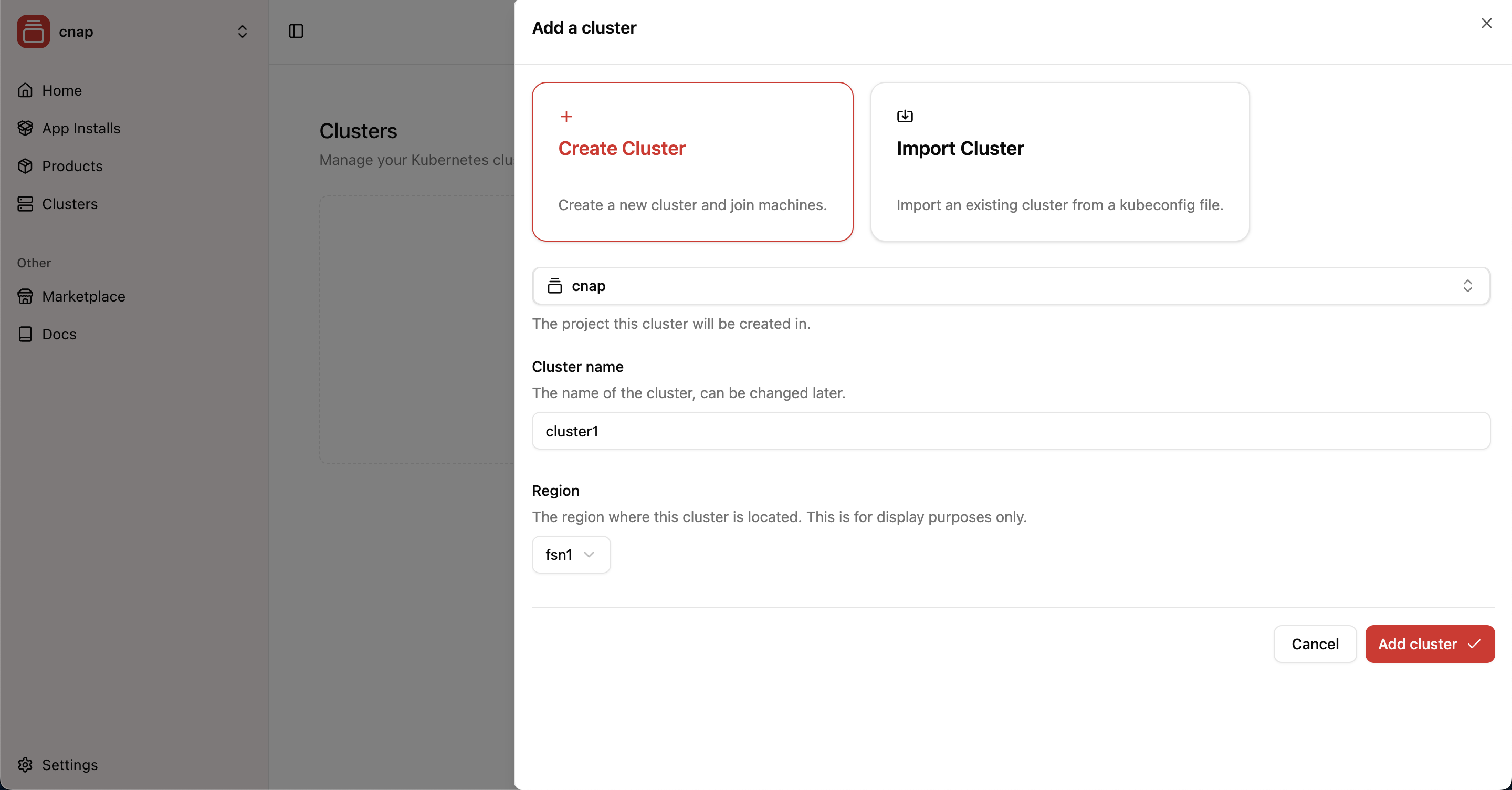 Setting up infrastructure to run your products is the foundation of your CNAP experience. Our managed clusters handle all the complex Kubernetes operations so you can focus on building and selling your software.
## Why Choose Managed Clusters?
CNAP's **Kubernetes as a Service (KaaS)** provides fully managed infrastructure where we handle the control plane and all worker operations while you maintain control over your infrastructure choices and billing.
**Perfect for most users** - CNAP handles all the complex operations:
*
Setting up infrastructure to run your products is the foundation of your CNAP experience. Our managed clusters handle all the complex Kubernetes operations so you can focus on building and selling your software.
## Why Choose Managed Clusters?
CNAP's **Kubernetes as a Service (KaaS)** provides fully managed infrastructure where we handle the control plane and all worker operations while you maintain control over your infrastructure choices and billing.
**Perfect for most users** - CNAP handles all the complex operations:
*  **Multipass** is the perfect tool for testing CNAP worker configurations locally without any cloud costs. Built by Canonical specifically for testing scenarios, Multipass lets you quickly spin up Ubuntu VMs on your local machine to test worker setups before buying production machines.
## Why Multipass for CNAP Testing?
Multipass is purpose-built for development and testing scenarios, making it ideal for:
* **Free local testing** - No cloud costs while developing and testing products
* **Rapid iteration** - Quickly create, destroy, and recreate test workers
* **Production simulation** - Test exact worker setup procedures in a local environment
**Multipass** is the perfect tool for testing CNAP worker configurations locally without any cloud costs. Built by Canonical specifically for testing scenarios, Multipass lets you quickly spin up Ubuntu VMs on your local machine to test worker setups before buying production machines.
## Why Multipass for CNAP Testing?
Multipass is purpose-built for development and testing scenarios, making it ideal for:
* **Free local testing** - No cloud costs while developing and testing products
* **Rapid iteration** - Quickly create, destroy, and recreate test workers
* **Production simulation** - Test exact worker setup procedures in a local environment
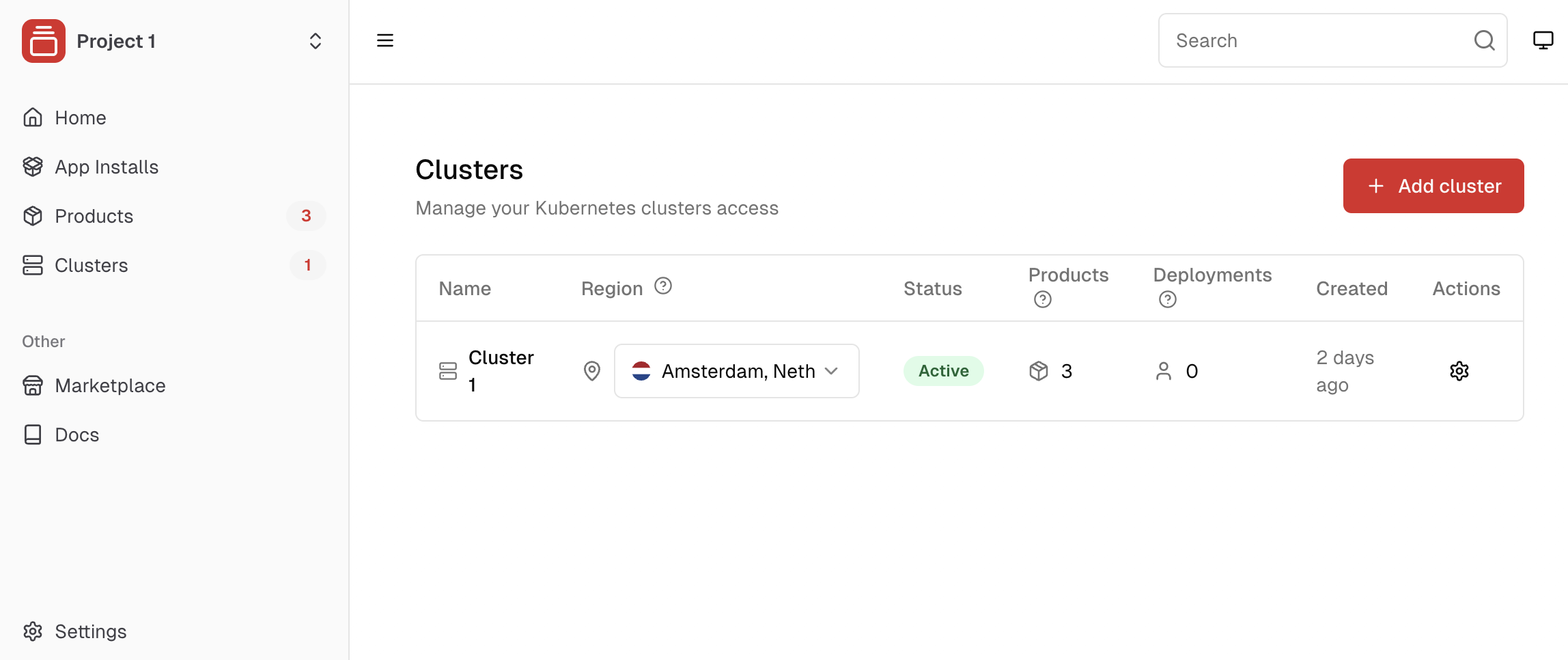 A cluster is a group of one or more machines that are managed by Kubernetes to deploy your products, any dependencies, and keep them healthy.
CNAP provides **Kubernetes as a Service (KaaS)** - we manage the control plane and handle all Kubernetes operations on your workers (joining, configuring, maintaining), while you stay in control of your infrastructure and billing. [Learn more about KaaS →](/platform/kaas)
## Getting Started with Clusters
Choose how you want to set up your infrastructure:
A cluster is a group of one or more machines that are managed by Kubernetes to deploy your products, any dependencies, and keep them healthy.
CNAP provides **Kubernetes as a Service (KaaS)** - we manage the control plane and handle all Kubernetes operations on your workers (joining, configuring, maintaining), while you stay in control of your infrastructure and billing. [Learn more about KaaS →](/platform/kaas)
## Getting Started with Clusters
Choose how you want to set up your infrastructure:
 ## Core Values
### **
## Core Values
### ** ## Company Vision & Strategy
Our long-term vision, market positioning, and the principles that guide how we work together.
## Company Vision & Strategy
Our long-term vision, market positioning, and the principles that guide how we work together.
 ### **For Team Members**
This handbook is your guide to understanding not just what we do, but why we do it. Every decision, principle, and strategy documented here helps you make better choices and contribute more effectively.
### **For the Community**
We're building in public because the developer community deserves to understand the companies that serve them. This transparency helps you decide whether CNAP aligns with your values and goals.
### **For Partners & Investors**
This handbook demonstrates our strategic thinking, market understanding, and commitment to building a sustainable business that serves all stakeholders.
***
### **For Team Members**
This handbook is your guide to understanding not just what we do, but why we do it. Every decision, principle, and strategy documented here helps you make better choices and contribute more effectively.
### **For the Community**
We're building in public because the developer community deserves to understand the companies that serve them. This transparency helps you decide whether CNAP aligns with your values and goals.
### **For Partners & Investors**
This handbook demonstrates our strategic thinking, market understanding, and commitment to building a sustainable business that serves all stakeholders.
***
 ## Market Positioning Matrix
### **What We're NOT**
## Market Positioning Matrix
### **What We're NOT**
 # Vision 2030: The Managed Services Revolution
Source: https://docs.cnap.tech/handbook/vision-2030
How CNAP is transforming the future of cloud software distribution
## The Future We're Building
By 2030, every valuable piece of software will be available as a managed service. Deploying data center-scale software will be as easy as installing an app from the App Store. Today, brilliant developers create amazing code projects, but most never become sustainable businesses. We're changing that.
# Vision 2030: The Managed Services Revolution
Source: https://docs.cnap.tech/handbook/vision-2030
How CNAP is transforming the future of cloud software distribution
## The Future We're Building
By 2030, every valuable piece of software will be available as a managed service. Deploying data center-scale software will be as easy as installing an app from the App Store. Today, brilliant developers create amazing code projects, but most never become sustainable businesses. We're changing that.
 ## The Managed Services Economy
We envision a world where:
### **For Developers**
* **10x faster time-to-market** - From code to customer in hours, not months
* **Focus on innovation** - Zero time spent on infrastructure operations
* **Global reach from day one** - Deploy anywhere, scale everywhere
* **Sustainable revenue streams** - Turn passion projects into profitable businesses
### **For Customers**
* **Infinite choice** - Access thousands of specialized managed services
* **Zero vendor lock-in** - Run services on your infrastructure, your terms, your jurisdiction
* **Instant deployment** - App Store-like experience for enterprise software
* **Performance & isolation** - Dedicated deployments with enterprise-grade security and privacy
### **For the Industry**
* **Democratized cloud services** - Small teams compete with tech giants
* **Innovation acceleration** - Faster iteration cycles across all sectors
* **Resource optimization** - Shared infrastructure, maximized efficiency
* **Open ecosystem** - Standards-based, interoperable services
## Three Waves of Transformation
### **Wave 1: The Foundation (2024-2025)**
*Building the infrastructure layer*
* **Kubernetes as a Service** - Managed control planes for everyone
* **Billing & Multi-tenancy** - Built-in monetization capabilities
* **Developer Experience** - Helm-native packaging and deployment
* **Early adopters** - Forward-thinking developers and startups
## The Managed Services Economy
We envision a world where:
### **For Developers**
* **10x faster time-to-market** - From code to customer in hours, not months
* **Focus on innovation** - Zero time spent on infrastructure operations
* **Global reach from day one** - Deploy anywhere, scale everywhere
* **Sustainable revenue streams** - Turn passion projects into profitable businesses
### **For Customers**
* **Infinite choice** - Access thousands of specialized managed services
* **Zero vendor lock-in** - Run services on your infrastructure, your terms, your jurisdiction
* **Instant deployment** - App Store-like experience for enterprise software
* **Performance & isolation** - Dedicated deployments with enterprise-grade security and privacy
### **For the Industry**
* **Democratized cloud services** - Small teams compete with tech giants
* **Innovation acceleration** - Faster iteration cycles across all sectors
* **Resource optimization** - Shared infrastructure, maximized efficiency
* **Open ecosystem** - Standards-based, interoperable services
## Three Waves of Transformation
### **Wave 1: The Foundation (2024-2025)**
*Building the infrastructure layer*
* **Kubernetes as a Service** - Managed control planes for everyone
* **Billing & Multi-tenancy** - Built-in monetization capabilities
* **Developer Experience** - Helm-native packaging and deployment
* **Early adopters** - Forward-thinking developers and startups
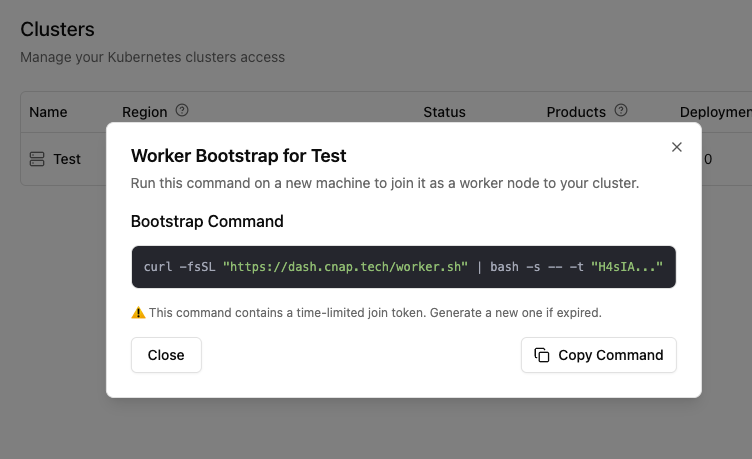 4. **Get a server** - Create a new cloud instance or use an existing machine (minimum: 2 CPU, 4GB RAM)
5. **Connect to your server using your preferred method**
```bash theme={null}
ssh root@your-server-ip
```
6. **Run the bootstrap command on your server copied above**
4. **Get a server** - Create a new cloud instance or use an existing machine (minimum: 2 CPU, 4GB RAM)
5. **Connect to your server using your preferred method**
```bash theme={null}
ssh root@your-server-ip
```
6. **Run the bootstrap command on your server copied above**
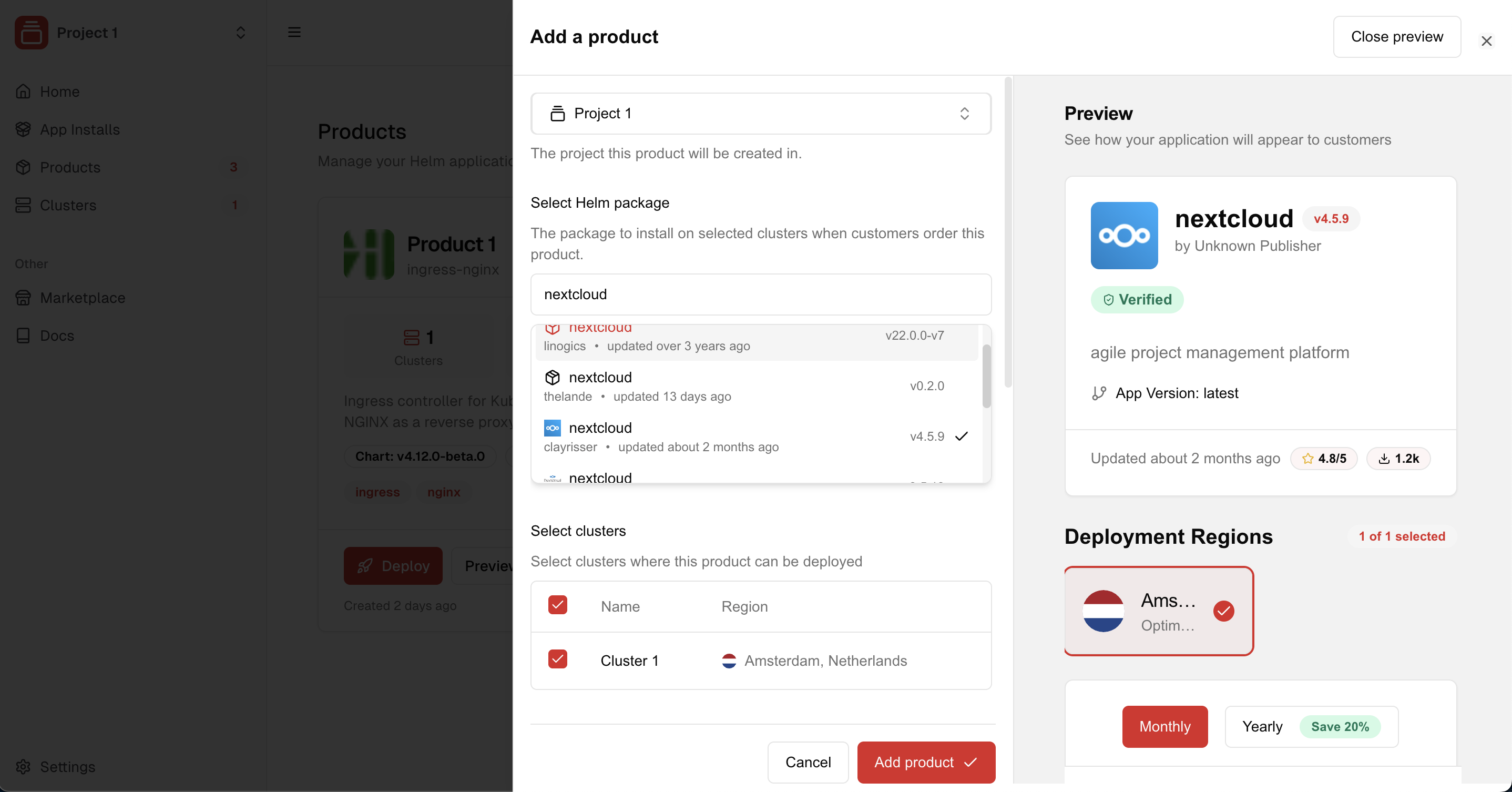
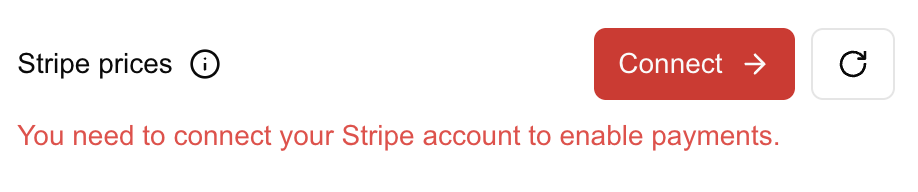
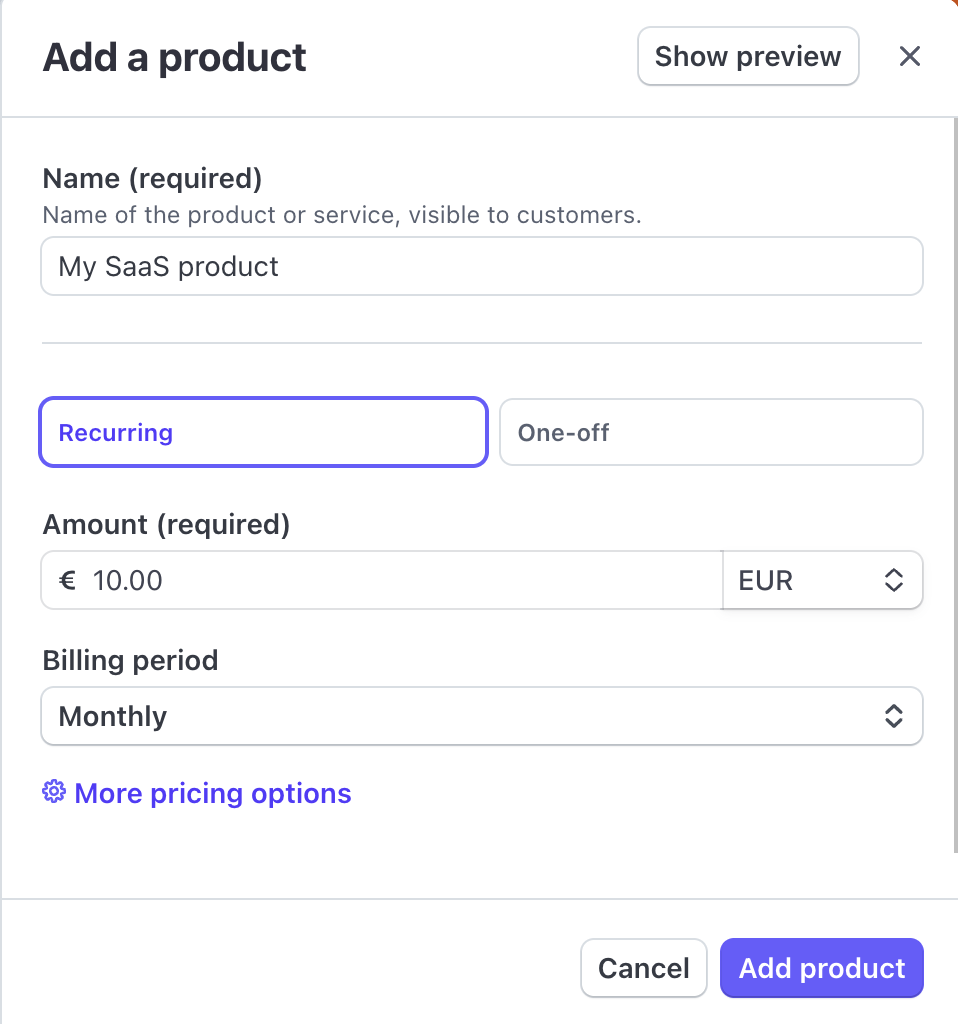
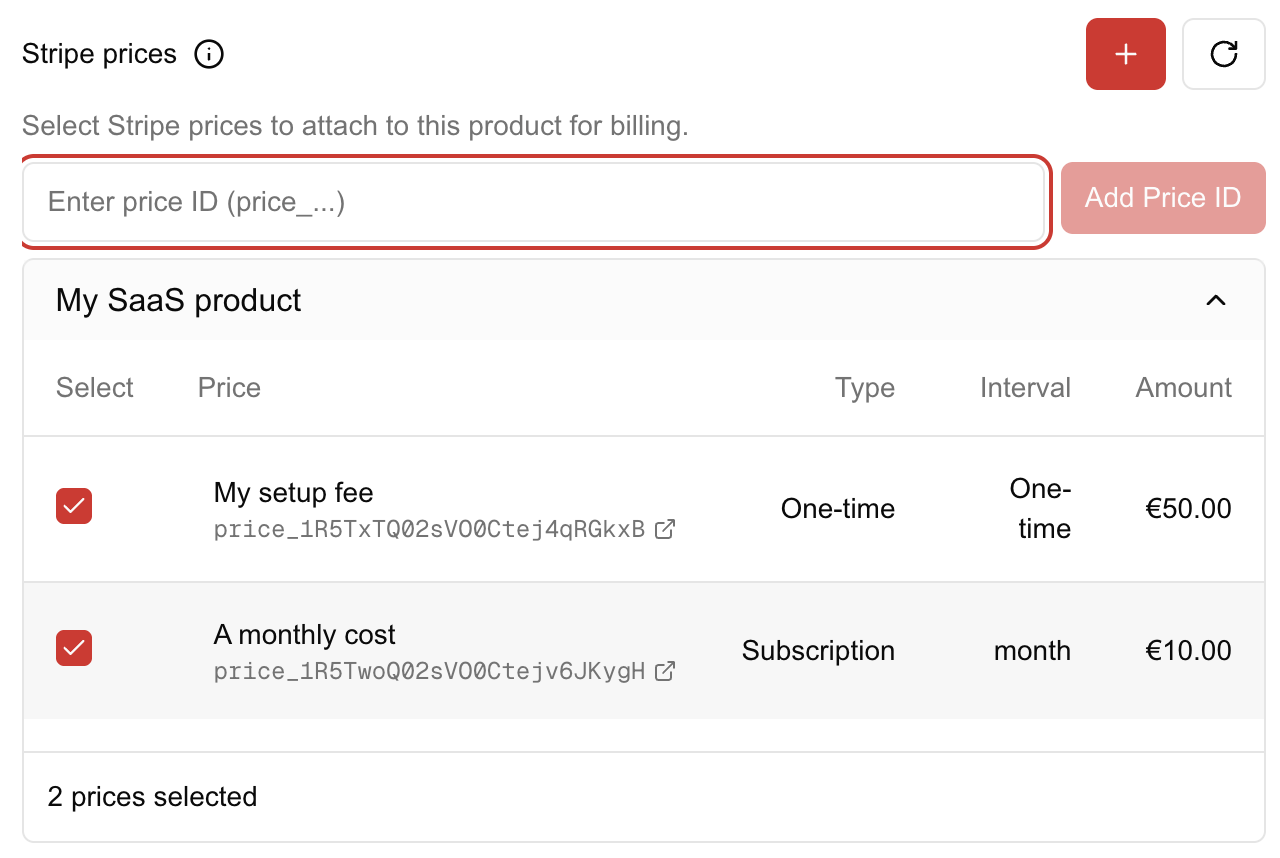
 The [marketplace](https://dash.cnap.tech/marketplace) is a collection of public products created by other sellers like you.
Customers can find and deploy these products via simple checkout flows.
## Adding a Product to the Marketplace
Products are added to the public marketplace as soon as they reference Stripe prices.
Note that you do not need to use CNAP's marketplace to sell your product.
You can always sell your product directly to your customers via your own website
by linking to the product's page as a final step.
The [marketplace](https://dash.cnap.tech/marketplace) is a collection of public products created by other sellers like you.
Customers can find and deploy these products via simple checkout flows.
## Adding a Product to the Marketplace
Products are added to the public marketplace as soon as they reference Stripe prices.
Note that you do not need to use CNAP's marketplace to sell your product.
You can always sell your product directly to your customers via your own website
by linking to the product's page as a final step.
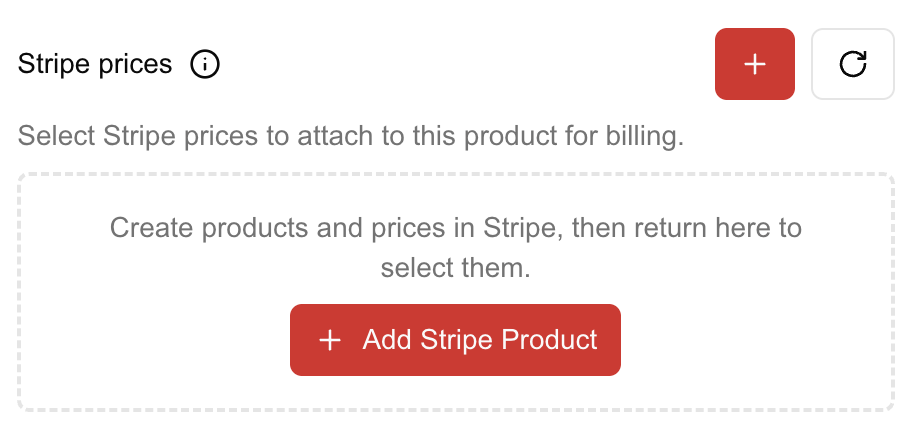 Create a **Stripe product with prices** in the Stripe dashboard.
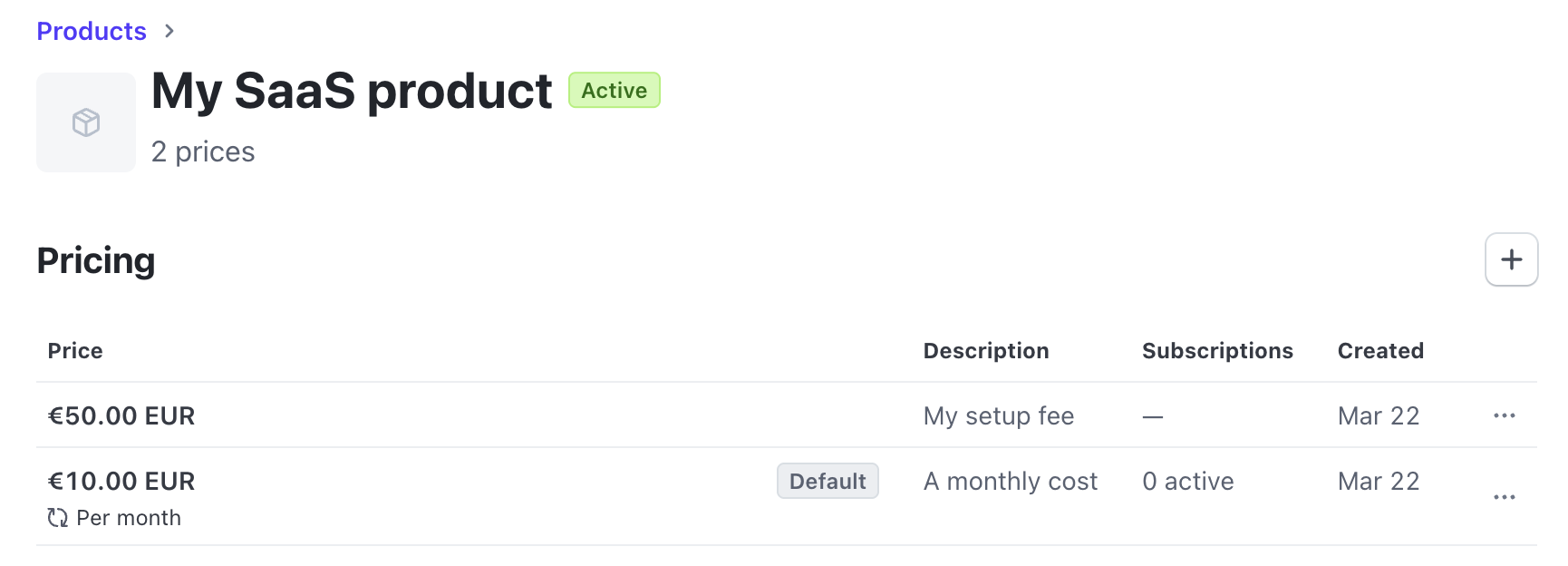
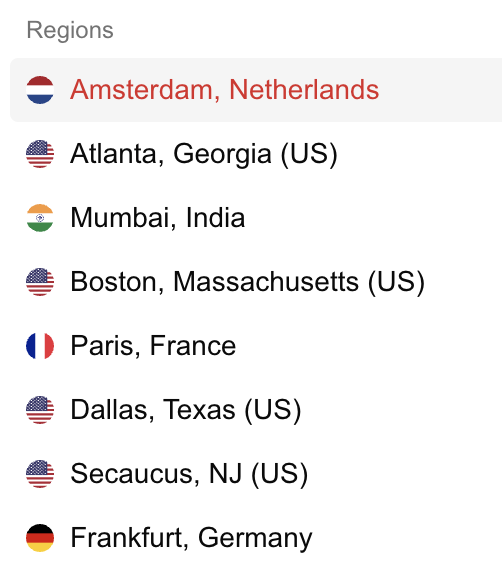 Regions serve as organizational units for displaying regions to users instead of clusters directly. They are not tied to specific geographical locations but help users select the right group of clusters.
You can edit the region of a cluster at any time, although this is often done only once during initial setup.
### Creating a Region
To create a new region, use the quick create icon when adding a cluster in the dashboard. Choose a descriptive name for the region, such as "Frankfurt, Germany" or "us-east-1".
Regions serve as organizational units for displaying regions to users instead of clusters directly. They are not tied to specific geographical locations but help users select the right group of clusters.
You can edit the region of a cluster at any time, although this is often done only once during initial setup.
### Creating a Region
To create a new region, use the quick create icon when adding a cluster in the dashboard. Choose a descriptive name for the region, such as "Frankfurt, Germany" or "us-east-1".
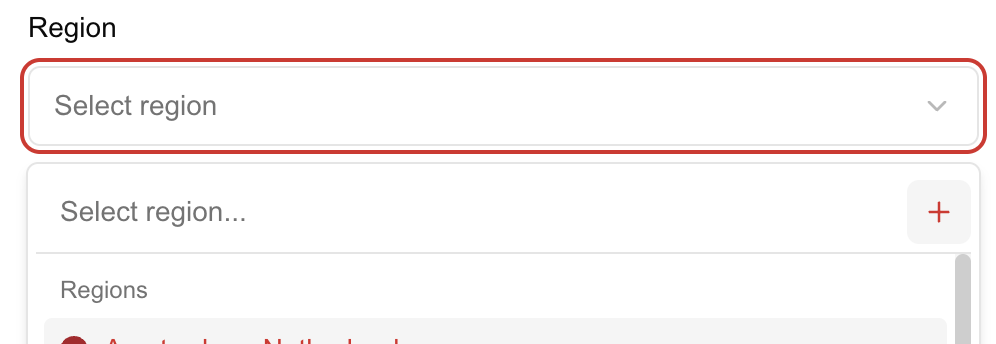 Once a region is created, it can be associated with one or more clusters. This association allows you to group clusters geographically.
# $1M CLOUD PRODUCT
Source: https://docs.cnap.tech/success/build-million-dollar-products
How to turn your software into a profitable business with CNAP
Once a region is created, it can be associated with one or more clusters. This association allows you to group clusters geographically.
# $1M CLOUD PRODUCT
Source: https://docs.cnap.tech/success/build-million-dollar-products
How to turn your software into a profitable business with CNAP
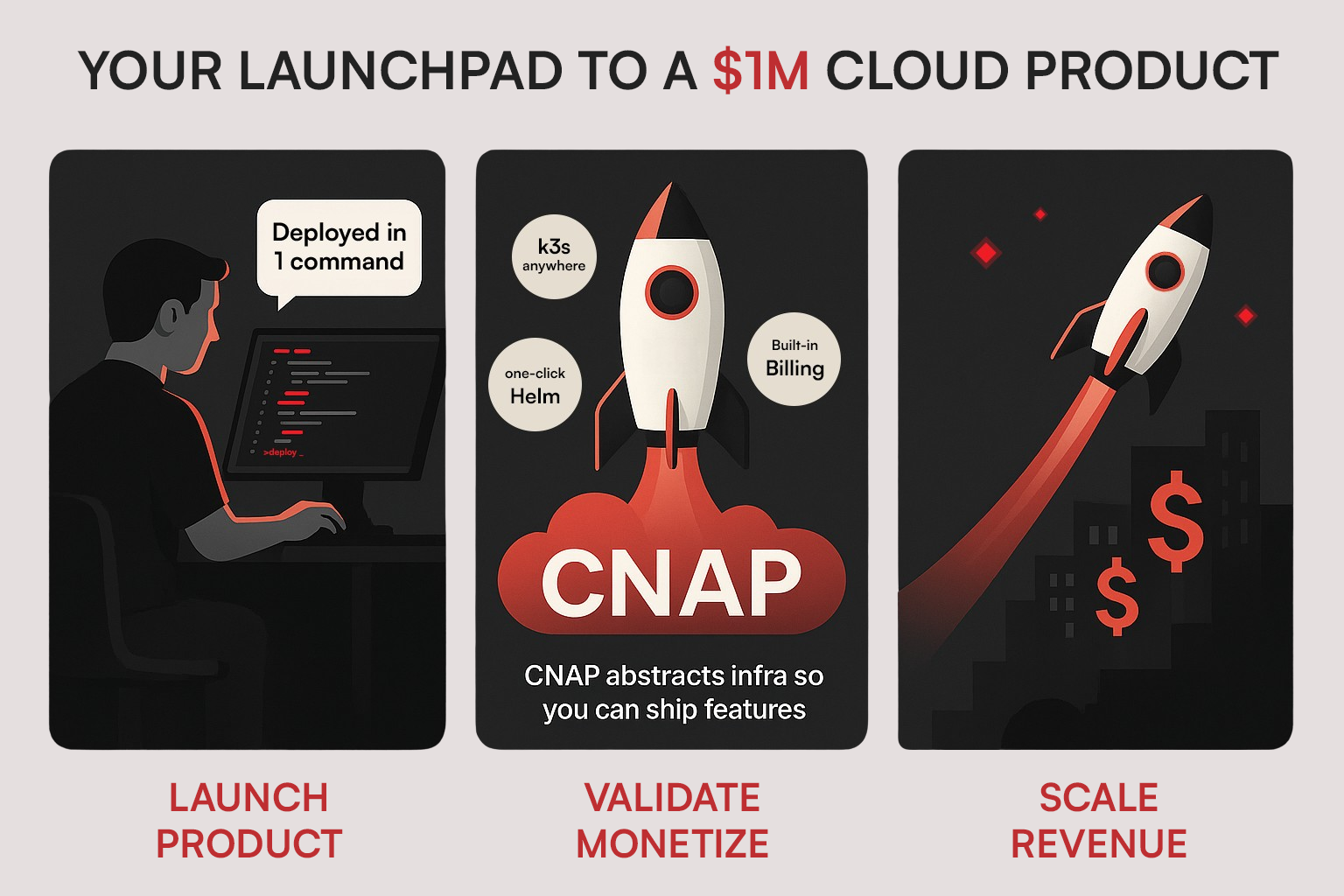
 ## Introduction
This guide is for developers and entrepreneurs who want to build, deploy, and most importantly, **sell** their cloud applications without drowning in infrastructure complexities.
## Introduction
This guide is for developers and entrepreneurs who want to build, deploy, and most importantly, **sell** their cloud applications without drowning in infrastructure complexities.
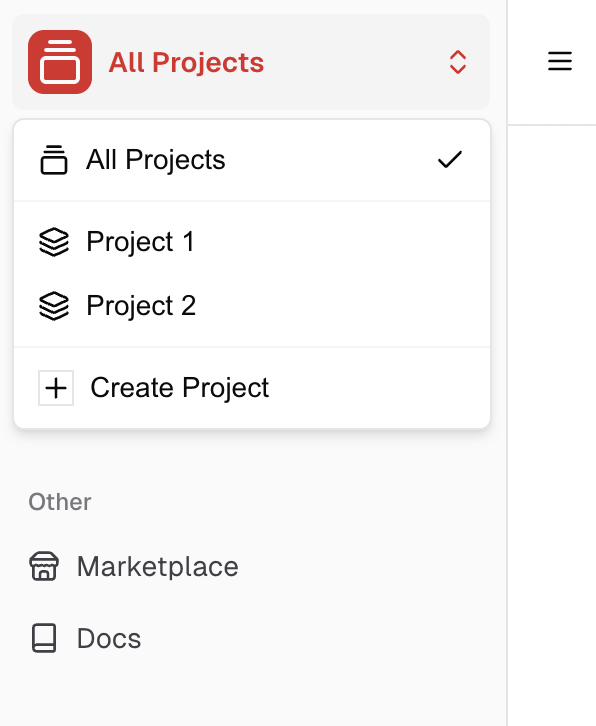 A workspace serves as an organizational unit within CNAP, allowing you to efficiently manage and group related resources. The resources within a workspace include: Clusters, Products, and one Stripe Account, Regions, and more.
You can view and create workspaces in the workspace switcher in the top left corner of the sidebar in the dashboard.
Only you can see the workspaces you have access to, no other users can see them.
## Creating a Workspace
You can create a workspace by clicking the "Create Workspace" button in the workspace switcher.
A workspace serves as an organizational unit within CNAP, allowing you to efficiently manage and group related resources. The resources within a workspace include: Clusters, Products, and one Stripe Account, Regions, and more.
You can view and create workspaces in the workspace switcher in the top left corner of the sidebar in the dashboard.
Only you can see the workspaces you have access to, no other users can see them.
## Creating a Workspace
You can create a workspace by clicking the "Create Workspace" button in the workspace switcher.
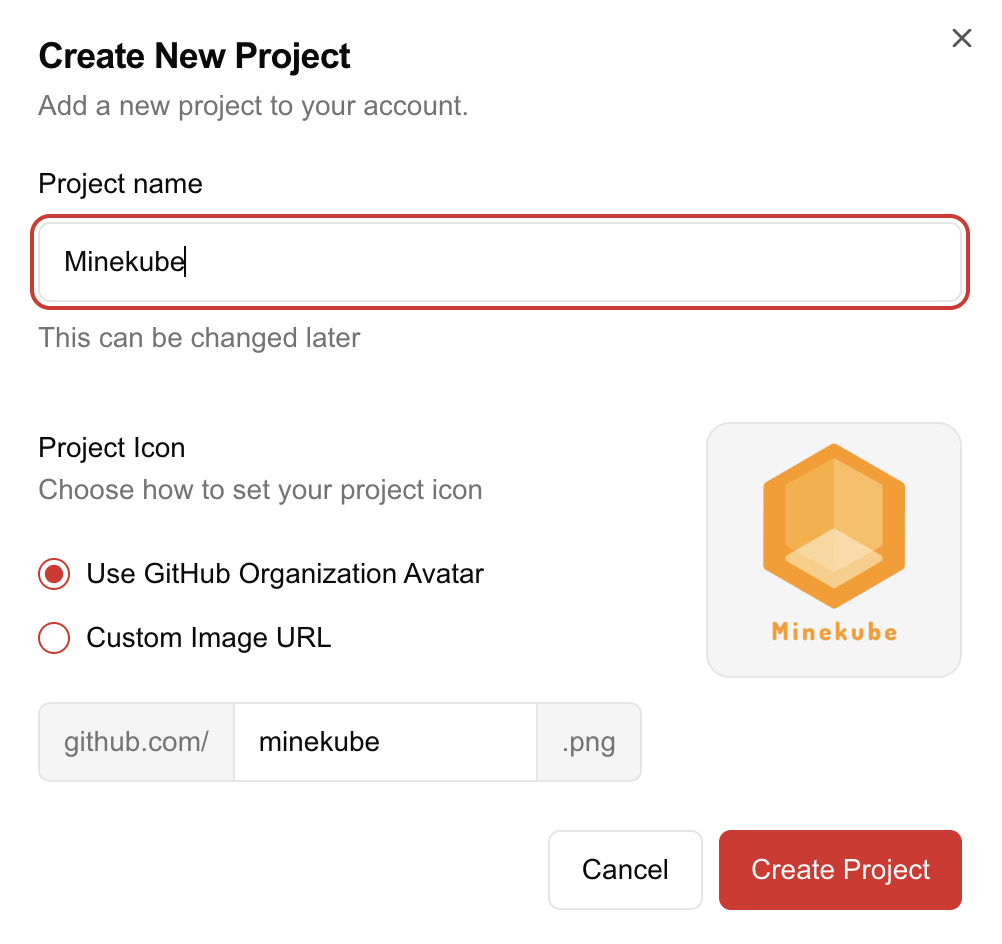 Define the name and optional icon of the workspace, which will be displayed in the workspace switcher.
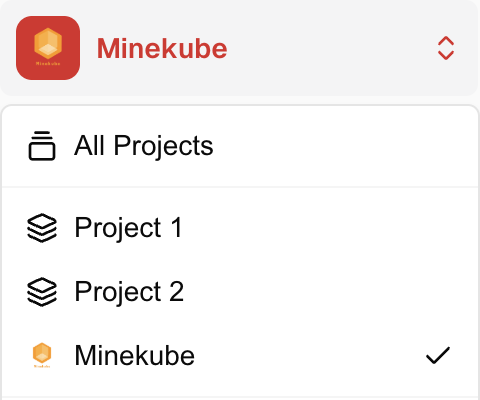 ## When to use separate workspaces
A workspace is useful when you want to manage multiple clusters, products, or
other resources that are related to each other or belong to the same organization.
* If you have two different SaaS companies, you can create two workspaces and manage their resources separately.
* If you have an agency and need dedicated workspaces for each client.
Keep in mind that separating workspaces is not always necessary. Instead, you can create multiple products within the same workspace for different customers who require unique product configurations, such as pricing and exposed settings, potentially even for the same or different Helm charts.
## When to use separate workspaces
A workspace is useful when you want to manage multiple clusters, products, or
other resources that are related to each other or belong to the same organization.
* If you have two different SaaS companies, you can create two workspaces and manage their resources separately.
* If you have an agency and need dedicated workspaces for each client.
Keep in mind that separating workspaces is not always necessary. Instead, you can create multiple products within the same workspace for different customers who require unique product configurations, such as pricing and exposed settings, potentially even for the same or different Helm charts.